Multi-Branch POS System in Iraq 2026 — Complete Growth Guide
Guide to choosing branch POS in Iraq: unified reports, separate inventory, staff permissions, sync, and an indicative cost table for growing to 3 branches.

A multi-branch POS system in Iraq in 2026 should unify sales and reporting while keeping inventory and permissions manageable per branch. Management needs visibility into each location’s performance, payment methods, item movement, and sync without exhausting manual consolidation.
01
Multi-Branch POS System in Iraq 2026 — Complete Growth Guide
A guide for owners managing more than one branch who need unified reports, branch inventory, permissions, and reliable sync.
Quick answer: A multi-branch POS system in Iraq in 2026 should unify sales and reporting while keeping inventory and permissions manageable per branch. Management needs visibility into each location’s performance, payment methods, item movement, and sync without exhausting manual consolidation.
02
Short answer: the branch problem is consistency, not only selling
When you open a second branch, sales do not just double. Item names, staff permissions, counts, and payment reconciliation multiply too. A branch POS needs unified visibility, not independent cash registers in each location.
A new branch should not add new reporting chaos.
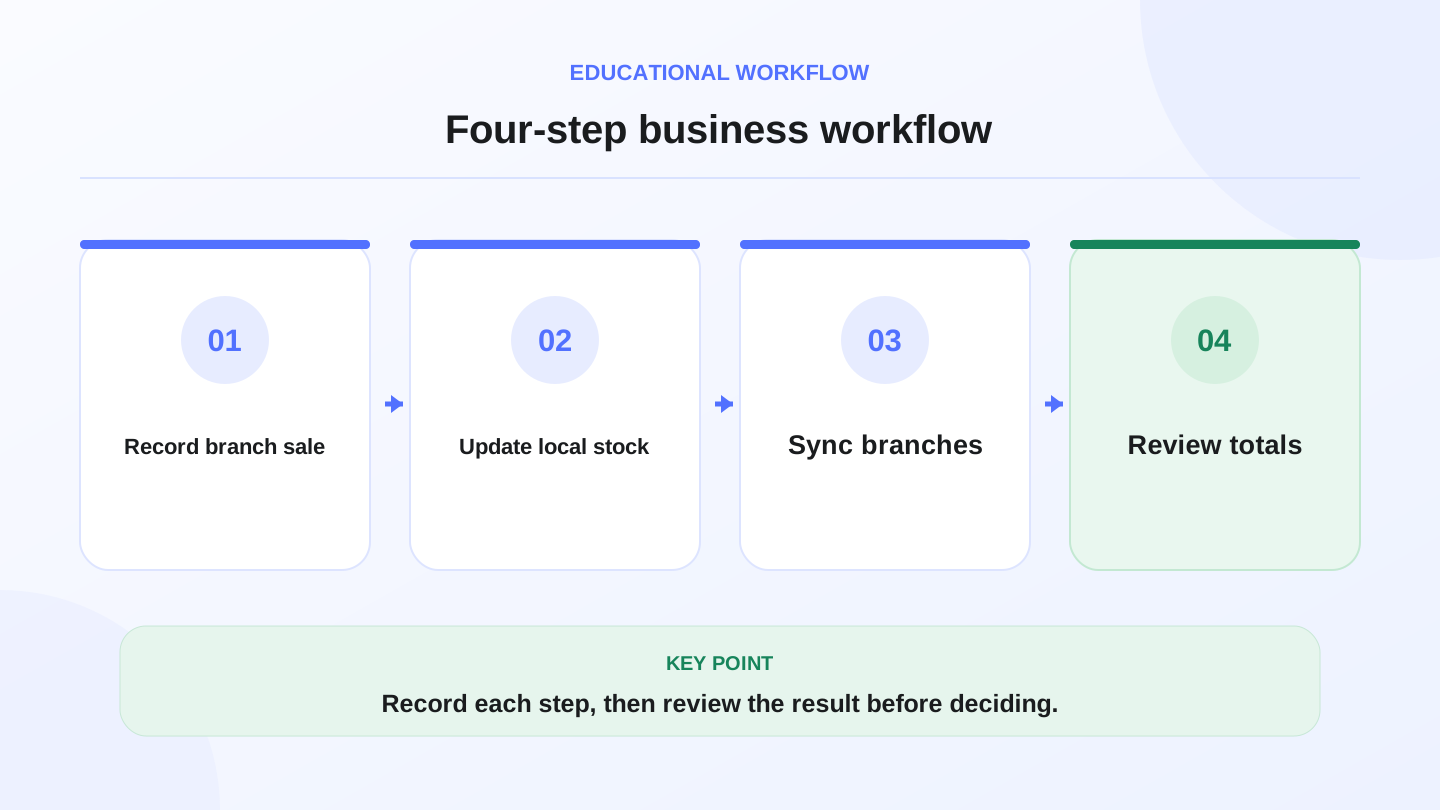
A practical sequence has four connected steps: Record branch sale, Update local stock, Sync branches, Review totals. Recording each step helps review the result.
03
What should be centralized and what stays branch-level?
Not all data should be centralized in the same way. Item names and management reporting should be consistent, while quantities, users, and some settings may differ by branch.
This avoids two mistakes: central control that slows branches down, or full separation that hides the real picture from management.

| Element | Usually best | Why |
|---|---|---|
| Item names | Centralized | Comparable reports |
| Stock quantity | Per branch | Each site sells differently |
| Staff permissions | Role and branch based | Reduce errors and risk |
| Payment methods | Unified with flexibility | Easier reconciliation |
| Management report | Centralized | Total performance view |
04
Indicative cost table for growing from 1 to 3 branches
Expansion is not only buying 2 more devices. It includes setup time, training, item normalization, and report review. Include these before choosing.
Use the table as a starting point, then replace ranges with your team’s reality.
_Approximate planning figures only, not official prices or promised cost._
| Line | Indicative range | When it appears |
|---|---|---|
| Unifying items | 4–12 hours | Before branch launch |
| Training branch staff | 6–18 hours | First week |
| Manual report review | 4–10 hours/month | Without unified reporting |
| Counting branch stock | 3–8 hours/month | Depends on item count |
| Fixing data mismatch | 1–3 days | When replacing systems later |
05
Worked example: unified reports and management time
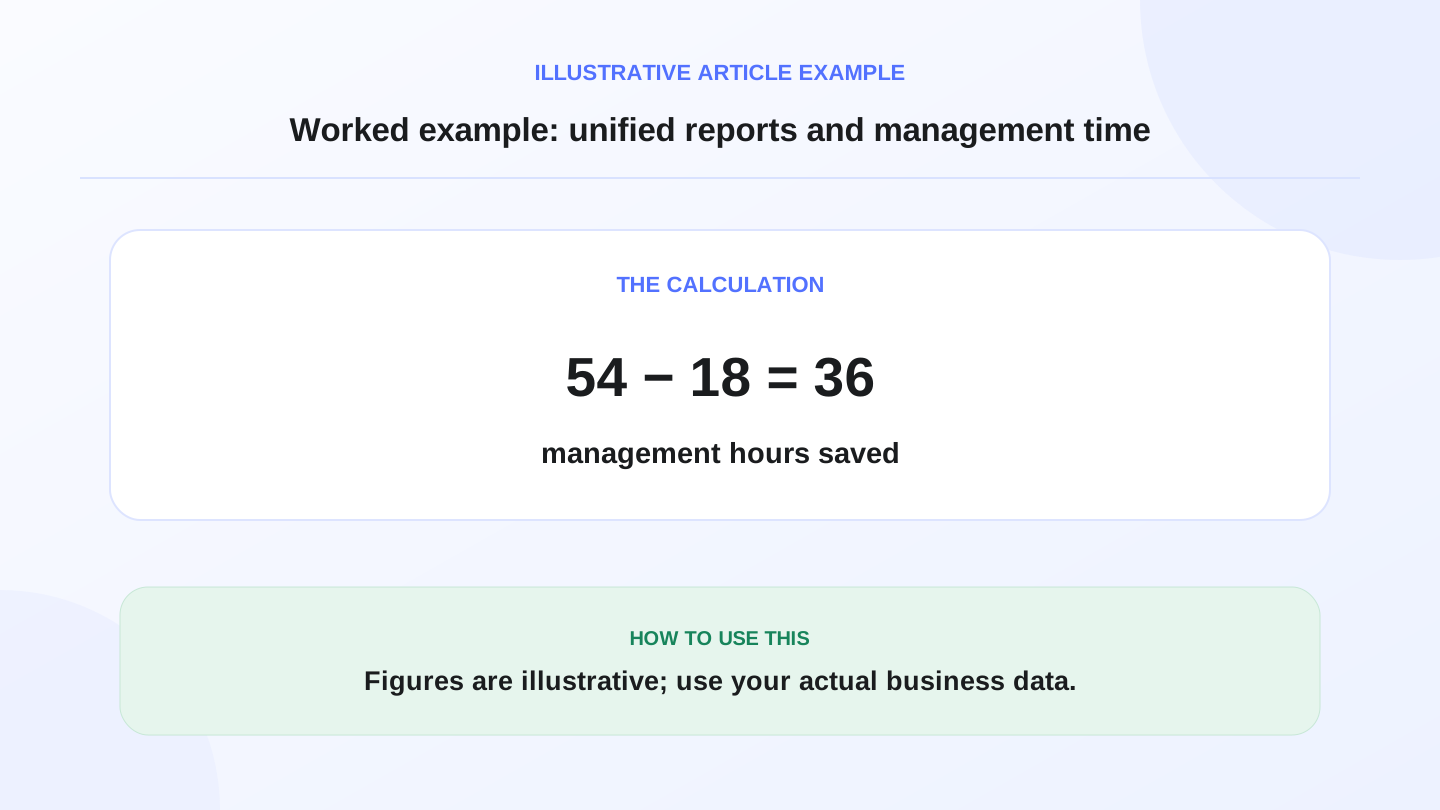
Assume each branch needs 3 hours per month to manually consolidate sales and inventory. With 3 branches, that is 9 hours per month, or 54 hours over 6 months.
If unified POS reporting lowers review to 3 total hours per month, 6 months becomes 18 hours. The difference is 36 hours. At an illustrative 60 IQD per management hour, that is 2,160 IQD of management time.
This is not a guaranteed saving; it is a way to include management time in the expansion decision.
06
Permissions protect branches from mistakes
More staff makes permissions more important. Not every employee should edit prices, delete invoices, or view every branch report.
A good system lets cashiers move quickly, branch managers review their location, and owners see the full picture.
07
Branch-level inventory prevents bad purchasing
If inventory is numerically merged without branch separation, you may appear to have enough stock while one location is short. Quantity should be visible by branch and item.
This is especially important for restaurants and stores where item movement changes by area.

08
Sync and local work across branches
Branches do not always have equal internet quality. Ask how the system saves sales locally during weak connectivity and how it prevents duplicate or missing data when sync returns.
RA8M operating flows document local work and sync across multiple processes, supporting a testable sales-and-sync workflow rather than a vague cloud claim.
09
When advanced branch features are not needed
If you only have one branch and no expansion plan, you may not need every branch feature on day one. Still choose a system that will not force a painful migration when a new branch opens.
The best decision is simple today with room to grow, not unused complexity or a closed system that blocks you later.
10
How to test RA8M before opening a branch
Create sample unified items, add users with different permissions, run sales in 2 scenarios, then review reporting and inventory as if there were multiple branches.
Start with the POS and pricing pages, then use a trial account to test a workflow close to your expansion plan.
Useful links:
11
FAQs
What is the most important multi-branch POS feature?
Unified reporting with branch-level inventory and permissions. Management needs the total picture, while each branch needs its own quantities, users, and daily workflows.
Should every branch have separate inventory?
Usually yes. Every branch sells at a different rate, and one location can be short while another has stock. Branch-level inventory improves transfers and purchasing.
Do I need branch POS if I only have one location?
Not necessarily, but choose a system that can grow if a second branch is likely. Later migration and retraining can cost more than starting with a scalable setup.
Are the expansion cost examples fixed?
No. They are operating examples for hidden lines like training, stock counts, and report review. Use your real team hours and management cost.
How do I test branch POS before adopting it?
Test unified items, different staff permissions, sales per branch, and a central report. If differences are clear and traceable, the system is closer to branch-ready.
Frequently asked questions
What is the most important multi-branch POS feature?
Unified reporting with branch-level inventory and permissions. Management needs the total picture, while each branch needs its own quantities, users, and daily workflows.
Should every branch have separate inventory?
Usually yes. Every branch sells at a different rate, and one location can be short while another has stock. Branch-level inventory improves transfers and purchasing.
Do I need branch POS if I only have one location?
Not necessarily, but choose a system that can grow if a second branch is likely. Later migration and retraining can cost more than starting with a scalable setup.
Are the expansion cost examples fixed?
No. They are operating examples for hidden lines like training, stock counts, and report review. Use your real team hours and management cost.
How do I test branch POS before adopting it?
Test unified items, different staff permissions, sales per branch, and a central report. If differences are clear and traceable, the system is closer to branch-ready.
Written by
RA8M Team
Practical guides for restaurants, shops, and operations teams
Next step
Try RA8M with data close to your operation
Read next
Related RA8M guides
Accounting and Reports
Sales Reports in Iraq: How to Read POS and Cashier Numbers
Read article
Restaurant and Cafe POS
Cafe POS in Iraq: Faster Orders, Stock and Reports
Read article
POS and Cashier
Cloud POS System in Iraq: When It Fits Your Business
Read article
All-in-One Business Management
POS and Online Store System in Iraq: Unified Selling Guide
Read article
Branches and Inventory
Branch Stock Transfer POS in Iraq: Keep Every Location Accurate
Read article