Store Management Software in Iraq: Sales, Stock and Branches
A practical Iraq guide to store management software for shops that need POS, inventory, purchases, staff roles, branches, ecommerce, and daily reports.

Store management software helps a shop control daily selling, inventory, purchases, staff roles, customers, branches, and reports from one system. In Iraq, the best fit is usually software that supports Arabic cashier workflows, offline POS selling, barcode products, IQD reporting, and ecommerce stock sync so the owner can manage the store without scattered spreadsheets.
01
Store Management Software in Iraq: Sales, Stock and Branches
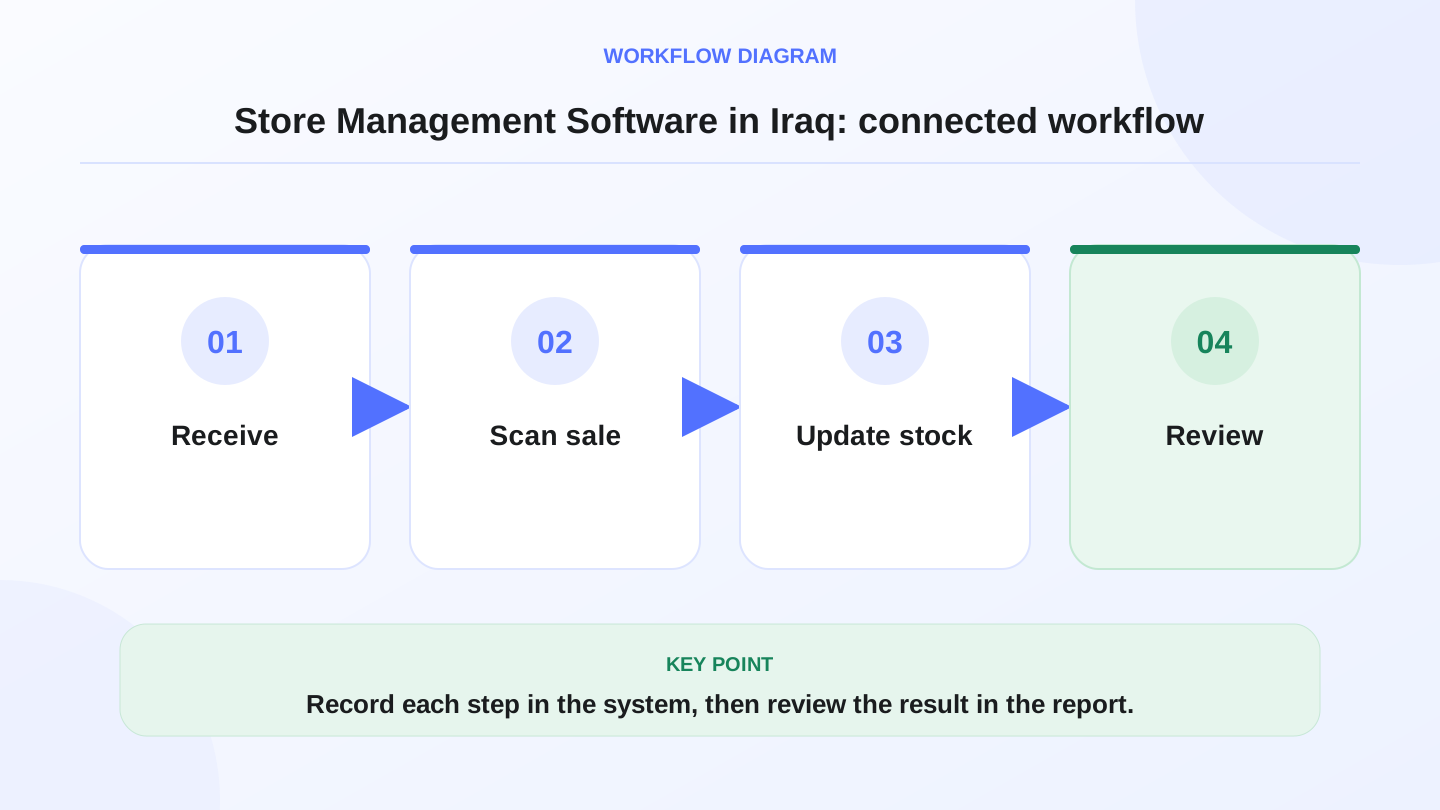
Store management software helps the owner stop running a shop from memory, paper, and scattered spreadsheets. For Iraq businesses, the right system should connect cashier sales, inventory, purchases, staff roles, customer records, branch visibility, ecommerce orders, and reports.
Quick answer: Store management software helps a shop control daily selling, inventory, purchases, staff roles, customers, branches, and reports from one system. In Iraq, the best fit is usually software that supports Arabic cashier workflows, offline POS selling, barcode products, IQD reporting, and ecommerce stock sync so the owner can manage the store without scattered spreadsheets.
02
What is store management software?
Store management software is a daily operating system for shops. It records sales at the cashier, tracks stock, organizes products, controls employee permissions, records purchases, follows customers, and gives the owner reports about what is happening.
A simple cash register records payment. A store management system explains the operation behind the payment: which item sold, which branch sold it, what stock remains, which purchase bill increased stock, which employee handled the transaction, and what the owner should reorder.
03
Which shops need it most?
Retail stores, clothing shops, cosmetics shops, mobile phone stores, electronics shops, mini-markets, supermarkets, pharmacies, salons, and service businesses all have different workflows. The shared problem is the same: daily activity becomes hard to control when sales, stock, staff, and reports are separated.
A one-person shop with a few items may start simple. But once the business has barcode products, variants, discounts, purchases, returns, staff shifts, online orders, or more than one branch, manual control becomes fragile.
04
Store management software checklist
This table shows why the same software should adapt to different store workflows instead of forcing every business into one cashier screen.
| Store type | Daily pressure | Software feature needed | Why it matters |
|---|---|---|---|
| Clothing shop | Sizes, colors, exchanges | Variants, returns, stock reports | Owner sees which sizes remain — see clothing store in Iraq |
| Mini-market | Many quick sales | Barcode POS, categories, low-stock alerts | Faster checkout and fewer stock gaps |
| Electronics shop | Higher-value items | Customer invoices, discounts, purchase records | Better tracking of sales and margins |
| Salon | Services and staff activity | Service items, staff roles, payment reports | Clearer daily review |
| Multi-branch store | Stock across locations | Branch visibility, roles, transfers, reports | Owner compares locations correctly |
| Online seller | In-store plus ecommerce orders | Shared products and stock | Avoids overselling online |
05
POS is the center of store management
Most shop data starts at the cashier. A sale should reduce stock, record the payment method, connect to a customer when needed, show in sales reports, and respect staff permissions. If POS is separate from store management, the owner must copy the most important data manually.
RA8M POS supports Arabic-first and bilingual workflows, offline-ready selling, barcode scanning, categories, customers, receipts, discounts, roles, and reporting. Review RA8M POS if your store needs the cashier to become part of the full management system. For GS1 context, label printing, and scanner setup, see barcode for shops in Iraq.
06
Inventory control: the difference between busy and blind
A store can be busy and still lose money if inventory is not controlled. Stock should increase when purchases arrive, decrease when items are sold, move when transfers happen, and adjust when damage or counting corrections occur.
Good store management software lets the owner see low stock, fast-moving products, slow-moving products, and expected stock after daily activity. This is especially important for shops with barcode items, sizes, colors, expiry-sensitive products, or multiple branches.

07
Worked example: expected closing stock
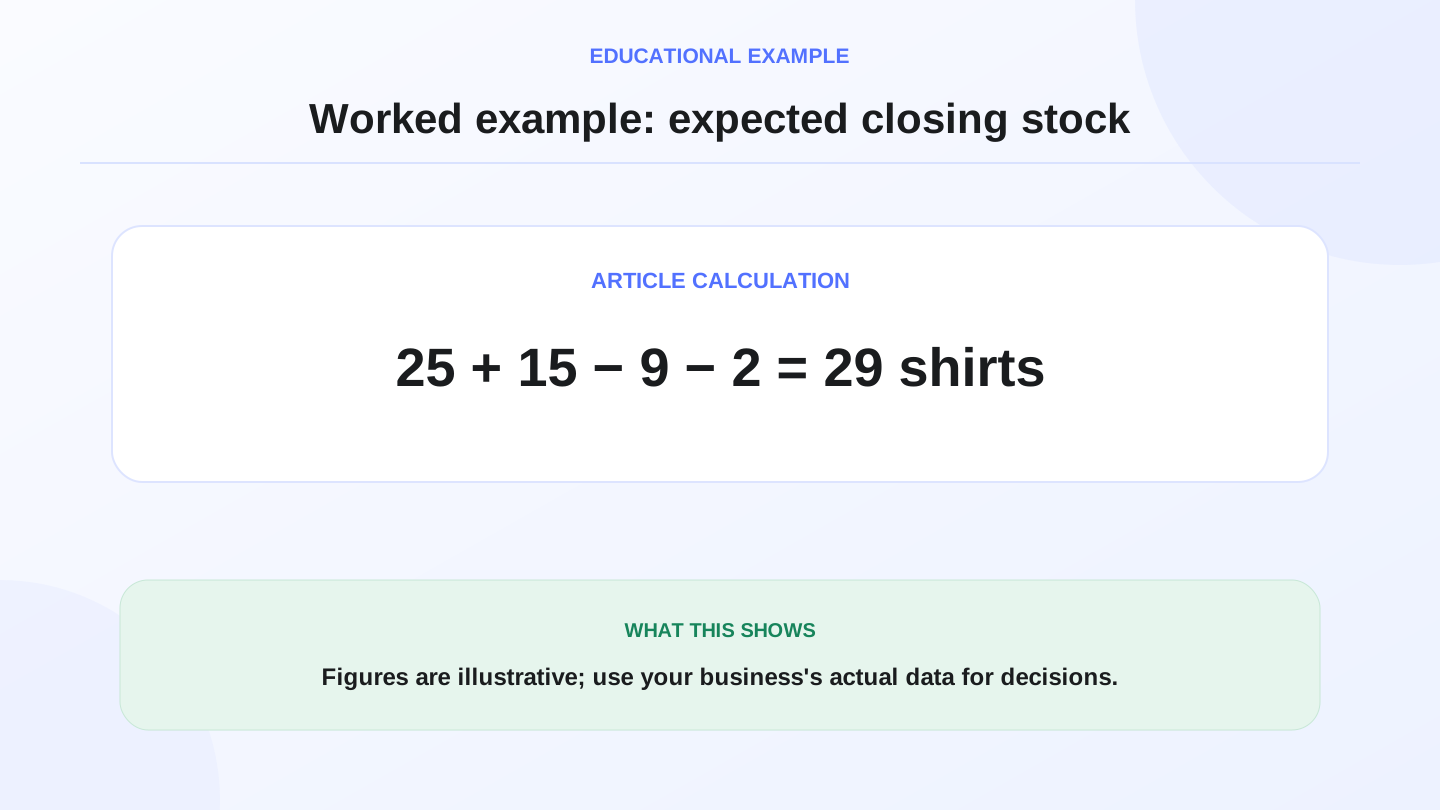
Assume a clothing store in Baghdad starts with 25 black medium shirts. It receives 15 more from a supplier and sells 9 during the day. Expected closing stock is 25 + 15 - 9 = 31 shirts.
If two shirts are damaged and adjusted out, the final expected quantity becomes 31 - 2 = 29 shirts. Without connected software, the owner may only see cash sales and miss the damaged stock. With a connected system, sales, purchases, and adjustments explain the stock number.
08
Staff roles and branch visibility
As the store grows, not every employee should see or change everything. Cashiers may need to sell and print receipts. Managers may approve discounts or returns. Owners may need reports, branch comparisons, finance visibility, and user control.
Branch visibility is also important. A Basra branch should not confuse its stock with an Erbil branch, but the owner should still review the full business. Store management software should support role control and branch-aware reports instead of mixing all activity together.

09
Ecommerce should share the same stock
Many Iraq sellers now sell through a physical shop and online channels. If online orders are handled in a separate system, stock mistakes happen quickly. A product can sell in-store while still appearing available online.
RA8M Ecommerce adds a branded storefront connected to POS products and stock. That means the store can manage in-store and online selling from a shared base. Explore RA8M Ecommerce if your next step is online selling connected to the shop.
10
Reports that actually help the owner
A useful report should answer operational questions, not only show big numbers. What sold today? Which products are low? Which staff member handled transactions? Which branch is growing? Which supplier purchases increased stock? Which payment methods were used?
For most stores, the daily report should be short enough to review and detailed enough to act on. The goal is not to create more dashboards; it is to make decisions faster.
11
When a simpler setup may be enough
A small shop with low volume, one employee, no barcode, no online orders, and few products may not need a full store management system immediately. A basic POS or simple records may be enough at the beginning.
Upgrade when manual tracking causes repeated stock errors, slow checkout, unclear cash review, staff permission issues, purchase confusion, branch visibility problems, or overselling between the shop and online store.
12
Where RA8M fits
RA8M fits Iraq businesses that want store management software connected to POS, inventory, purchases, customers, finance, reports, roles, branches, offline sync, and ecommerce. It is Arabic-first and bilingual, which matters for teams that work in Arabic while owners or managers may also need English.
Start with industries to see fit by business type, review POS for cashier workflows, and compare current plans on pricing. Pricing may change, so verify the live pricing page before making a buying decision.
13
Conclusion
Choose store management software by mapping the daily workflow: sales, stock, purchases, employees, branches, ecommerce, and reports. If those pieces are disconnected, the owner will keep managing the business manually even after buying software.
For Iraq shops that want Arabic workflows, offline-ready selling, barcode inventory, branch control, ecommerce sync, and clear reports, RA8M gives a connected path from cashier activity to owner decisions.
14
FAQs
What is store management software?
Store management software is a system for running shop sales, stock, purchases, customers, staff roles, branches, and reports from one organized workflow.
Does a small shop need store management software?
A small shop may need it when stock errors, barcode volume, staff permissions, unpaid invoices, purchases, or reporting take too much manual time.
Should store management software include POS?
Yes for most shops. POS is where sales happen, so connecting it to stock, payments, customers, and reports reduces duplicate work.
Can RA8M help multi-branch stores?
RA8M supports branch-aware operations with POS, inventory, roles, reports, purchases, finance, and ecommerce workflows for growing Iraq businesses.
Frequently asked questions
What is store management software?
Store management software is a system for running shop sales, stock, purchases, customers, staff roles, branches, and reports from one organized workflow.
Does a small shop need store management software?
A small shop may need it when stock errors, barcode volume, staff permissions, unpaid invoices, purchases, or reporting take too much manual time.
Should store management software include POS?
Yes for most shops. POS is where sales happen, so connecting it to stock, payments, customers, and reports reduces duplicate work.
Can RA8M help multi-branch stores?
RA8M supports branch-aware operations with POS, inventory, roles, reports, purchases, finance, and ecommerce workflows for growing Iraq businesses.
Written by
RA8M Team
Practical guides for restaurants, shops, and operations teams
Next step
Try RA8M with data close to your operation
Read next
Related RA8M guides
All-in-One Business Management
Shop Management Software in Iraq: POS, Stock and Branches
Read article
All-in-One Business Management
Sales and Inventory Management System in Iraq: POS Workflow Guide
Read article
All-in-One Business Management
Company Management Software in Iraq: One Operating System
Read article
All-in-One Business Management
Business Management Software in Iraq: One System to Run It All
Read article
All-in-One Business Management
POS and Online Store System in Iraq: Unified Selling Guide
Read article