Shop Management Software in Iraq: POS, Stock and Branches
A practical guide to shop management software in Iraq for owners who need cashier sales, inventory, purchases, staff roles, reports, and branch control.

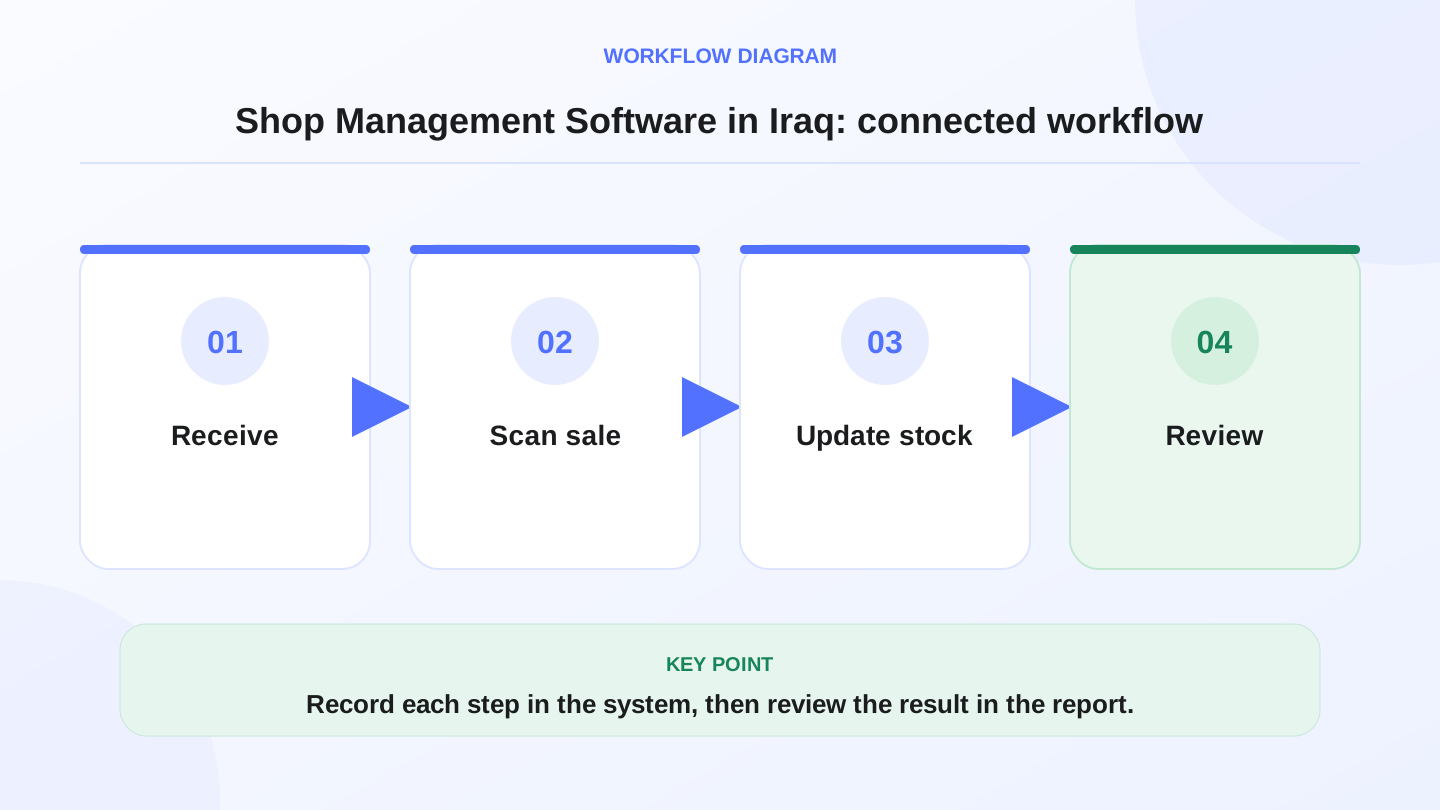
Shop management software in Iraq should connect cashier sales, inventory, purchases, customers, staff permissions, branches, ecommerce, finance, and reports in one workflow. The goal is not only faster checkout. It is giving the owner a trusted daily view of stock, cash, sales, costs, and team activity without rebuilding numbers from notebooks or spreadsheets.
01
Shop Management Software in Iraq: POS, Stock and Branches
Shop management software helps an Iraq business owner control daily selling, stock, purchases, staff activity, and reports from one place. For a shop, the important question is not whether the cashier screen is modern; it is whether every sale, return, purchase, transfer, and payment leaves a clear record the owner can trust.
Quick answer: Shop management software in Iraq should connect cashier sales, inventory, purchases, customers, staff permissions, branches, ecommerce, finance, and reports in one workflow. The goal is not only faster checkout. It is giving the owner a trusted daily view of stock, cash, sales, costs, and team activity without rebuilding numbers from notebooks or spreadsheets.
02
What does shop management software actually manage?
A useful shop management system covers the full daily loop. The cashier sells products, inventory decreases, the customer receipt is created, the payment is recorded, and the owner can later see the result in reports. When new stock arrives, the purchase bill increases quantities and gives the business a cleaner cost trail.
This is broader than a simple cash register. A register records money in the drawer. Shop management software records what was sold, who sold it, which item moved, what discount was applied, what branch it came from, and whether the stock number still makes sense.
In Iraq, this also needs Arabic-first usability. Many shops operate with Arabic cashier teams, English product names, IQD pricing, and owners who want reports without translating every screen. RA8M, also written Raqm or رقم, is built around Arabic and English workflows for this kind of operating reality.
03
Why Iraq shops outgrow notebooks and spreadsheets
Notebooks can work at the beginning because the owner is close to every transaction. The problem appears when the shop adds more products, another employee, supplier purchases, discounts, returns, or an online sales channel. At that point, the owner is no longer managing one list; they are managing movement.
Spreadsheets also depend on discipline after the sale. If the cashier sells ten units but the sheet is updated at night, reports are already late. If a supplier delivers fewer units than expected, the difference may disappear unless the purchase workflow records quantity and cost clearly.
Internet interruptions create another common issue. An offline-ready POS matters because sales should continue even when the connection drops. But the offline sale must still sync back into inventory and reports later, or the owner ends the day with two versions of the business.
04
Which features should a shop compare first?
Do not start with the longest feature list. Start with the features that protect the daily workflow. The system should make it easy to sell, adjust stock correctly, control permissions, and understand what happened today.
Use this table as a practical comparison sheet. If a system handles cashier sales but not purchases or stock changes, it may still leave the owner doing manual reconciliation.
| Area | What to check | Why it matters |
|---|---|---|
| POS cashier | Fast product search, barcode, discounts, receipts, offline selling | Keeps checkout moving during busy hours |
| Inventory | Stock levels, variants, transfers, adjustments, low-stock checks | Stops the owner from guessing what is available |
| Purchases | Supplier bills, received quantities, costs, payment status | Connects buying to stock and money records |
| Roles | Cashier, manager, accountant, branch-level permissions | Reduces risky edits and protects sensitive reports |
| Reports | Sales, items, customers, inventory, payments, branches | Helps the owner decide from numbers, not memory |
| Ecommerce | Online orders connected to the same products and stock | Prevents online sales from fighting shelf stock |
05
Worked example: one product through the full shop workflow
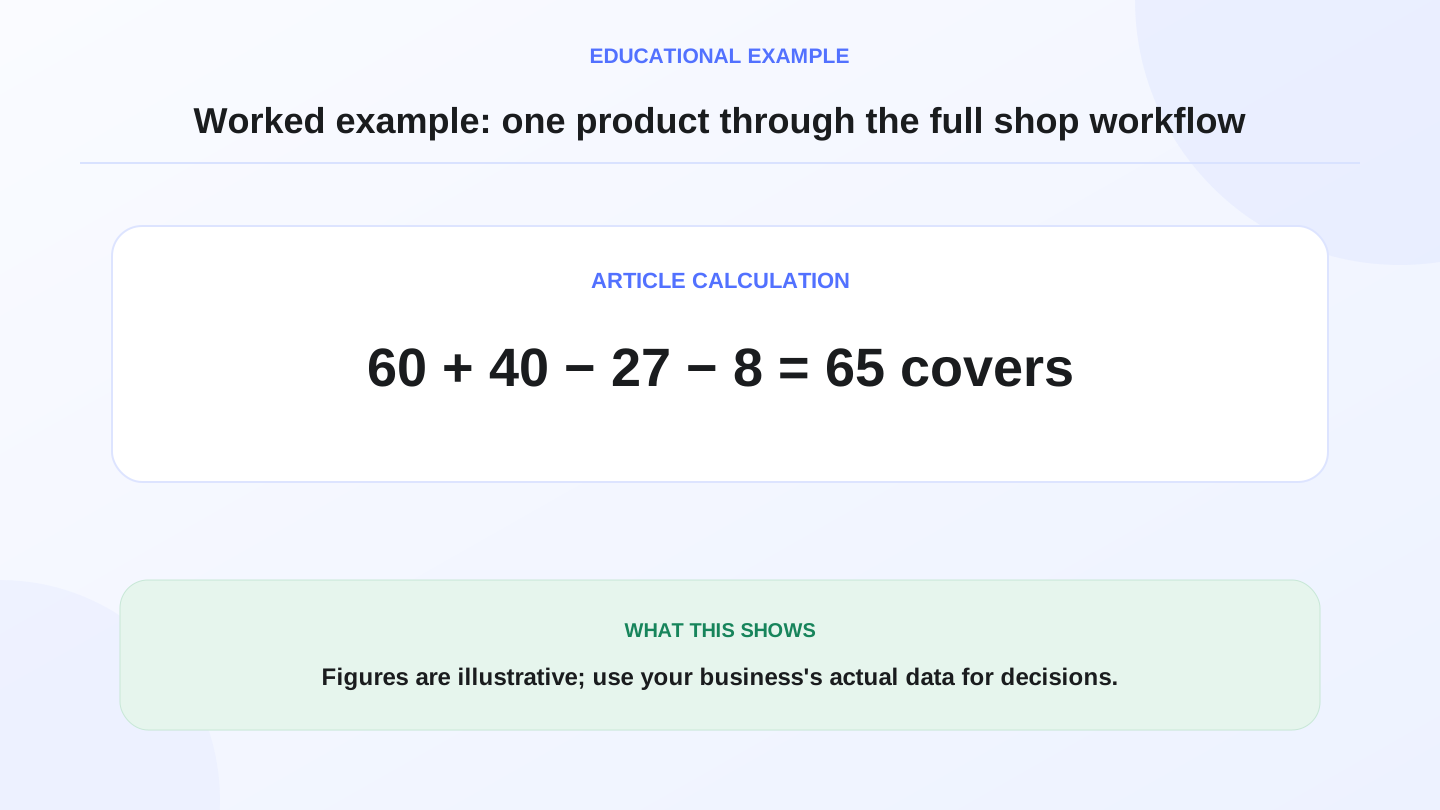
Assume a Baghdad accessories shop starts the day with 60 phone covers. It buys 40 more from a supplier, so expected stock becomes 60 + 40 = 100 covers. During the day, the cashier sells 27 covers in-store and the online store receives 8 orders.
Total outgoing quantity is 27 + 8 = 35 covers. Expected closing stock is 100 - 35 = 65 covers. If the physical shelf count shows 62 covers, the variance is 65 - 62 = 3 covers.
Now add cost. If each cover costs 2,500 IQD, the variance represents 3 × 2,500 = 7,500 IQD of stock value to investigate. This number is illustrative, but the method is real: connected shop management software turns a vague shortage into a specific product, movement, branch, and value.
06
How POS, inventory, purchases, and finance should connect
The most important connection is between POS and inventory. Every cashier sale should reduce stock automatically. Returns should move stock according to the shop policy. Discounts should remain visible so reports show the real selling pattern, not only the final cash total.
Purchases should connect next. When a supplier bill is entered, the system should show what arrived, what it cost, and whether the business still owes money. This makes stock and finance part of the same workflow instead of two separate stories.
Finance and reporting do not mean the software replaces an accountant. They mean the owner has cleaner operational records before reviewing sales, expenses, cash movement, and profit signals. Formal tax and accounting decisions should still be checked with a qualified professional.

07
What changes when the shop has more than one branch?
Multi-branch shops need more control because stock and staff are no longer in one room. The owner may need to see sales by branch, move stock between locations, control who can view reports, and prevent one team from changing another branch without permission.
A branch transfer should be explicit. If Branch A sends 15 items to Branch B, Branch A stock should decrease by 15 and Branch B stock should increase by 15 after the transfer is accepted. Without that record, both locations may think they own the same stock.
RA8M is relevant here because it connects roles, branches, inventory, POS, purchases, finance, reports, and ecommerce. That matters for Iraq operators who grow from one shop to two or three locations and need visibility without asking every branch for screenshots.

08
How ecommerce changes shop management
When a shop starts selling online, inventory becomes more sensitive. The same item may be sold from the shelf and ordered through the online store in the same hour. If online orders live in a separate system, the owner may oversell popular products or disappoint customers after checkout.
Good shop management software should connect the online storefront to the POS catalog and stock. Product names, prices, discounts, and availability should be managed carefully so the team is not editing the same item twice.
RA8M Ecommerce adds a branded online storefront connected to POS products and inventory. It can support Arabic and English storefront journeys, online orders, payments and delivery workflows described on the site, and stock sync with the core RA8M system.
09
When RA8M fits and when a simpler setup may be enough
RA8M fits a shop that wants one connected system for POS, inventory, purchases, finance, reports, roles, branches, and ecommerce. It is especially useful when the owner cares about Arabic-first workflows, offline-ready cashier sales, and reports that explain daily operations.
A simpler setup may be enough for a tiny one-person shop with a very small catalog, no staff permissions, no supplier complexity, no online store, and no branch plans. In that case, the owner may start with a basic register or spreadsheet while keeping the data clean.
If the shop already has staff, many SKUs, barcode selling, regular purchases, discounts, customer records, or online orders, review RA8M POS, Ecommerce, and Pricing. Pricing can change, so verify the current plan before buying.
10
First-week rollout checklist
Start by cleaning product names, categories, barcodes or SKUs, units, prices, and opening quantities. Bad setup creates bad reports. If product names are duplicated or units are unclear, the cashier and inventory team will make avoidable mistakes.
Train each role on a small number of tasks. Cashiers need sales, returns, discounts, receipts, and offline sync behavior. Managers need purchases, adjustments, transfers, and reports. Owners need dashboards, branch visibility, and permission control.
At the end of the first week, compare ten important products against expected stock, review discounts, check supplier purchase entries, and confirm daily cash reports. This small audit catches workflow problems before the full catalog depends on the system.
11
Conclusion: manage the workflow, not only the cashier
The best shop management software is the one that keeps the whole daily operation connected. In Iraq, that means Arabic and English usability, IQD records, offline-ready selling, inventory movement, supplier purchases, ecommerce orders, roles, branches, and reports.
Choose the system by following one product and one sale from beginning to end. If the software can explain what happened, who did it, what stock changed, and what report proves it, the owner can run the shop with much more confidence.
Frequently asked questions
What is shop management software?
Shop management software connects daily sales, inventory, purchases, customers, staff roles, payments, branches, and reports so the owner can run the shop from one system.
Is POS enough for managing a shop?
POS is the starting point, but growing shops usually also need inventory, purchases, permissions, finance, and reports connected to the cashier workflow.
Does RA8M work for multi-branch shops?
RA8M supports roles, branches, inventory visibility, sales reports, purchases, finance, and ecommerce workflows for Iraq businesses that need connected operations.
When is a spreadsheet enough?
A spreadsheet may be enough for a tiny one-person shop with few items, but software becomes safer when staff, SKUs, suppliers, ecommerce, or branches increase.
Should shop software replace an accountant?
No. It improves operational records and reports, but formal tax, legal, or accounting decisions should be reviewed with a qualified professional.
Written by
RA8M Team
Practical guides for restaurants, shops, and operations teams
Next step
Try RA8M with data close to your operation
Read next
Related RA8M guides
All-in-One Business Management
Store Management Software in Iraq: Sales, Stock and Branches
Read article
All-in-One Business Management
Sales and Inventory Management System in Iraq: POS Workflow Guide
Read article
All-in-One Business Management
Business Management Software in Iraq: One System to Run It All
Read article
All-in-One Business Management
POS and Online Store System in Iraq: Unified Selling Guide
Read article
All-in-One Business Management
Company Management Software in Iraq: One Operating System
Read article