Sales and Inventory Management System in Iraq: POS Workflow Guide
A practical guide for Iraq shops, restaurants, and branches choosing a sales and inventory management system that connects checkout, stock, purchases, reports, and ecommerce.

A sales and inventory management system connects every sale to stock movement, purchase records, customer activity, branch visibility, and reports. For Iraq businesses, the strongest setup is Arabic-first, works offline at the cashier, supports IQD pricing, and keeps in-store and online inventory aligned so owners can see what sold, what remains, and what to reorder.
01
Sales and Inventory Management System in Iraq: POS Workflow Guide
A sales and inventory management system helps an Iraq business know what sold, what is still in stock, what needs to be purchased, and which branch or channel created the movement. The goal is not only counting products; it is connecting cashier sales, purchases, online orders, stock counts, and owner reports.
Quick answer: A sales and inventory management system connects every sale to stock movement, purchase records, customer activity, branch visibility, and reports. For Iraq businesses, the strongest setup is Arabic-first, works offline at the cashier, supports IQD pricing, and keeps in-store and online inventory aligned so owners can see what sold, what remains, and what to reorder.
02
What is a sales and inventory management system?
A sales and inventory management system is software that connects checkout activity with stock control. When a cashier sells an item, the system records the sale and reduces inventory. When a supplier purchase arrives, the system increases stock. When a manager counts, transfers, adjusts, or returns stock, the movement is kept visible.
This is different from using one cash register, one notebook for supplier purchases, and one spreadsheet for stock. Separate tools can work at the beginning, but they create mismatched numbers when the business grows.
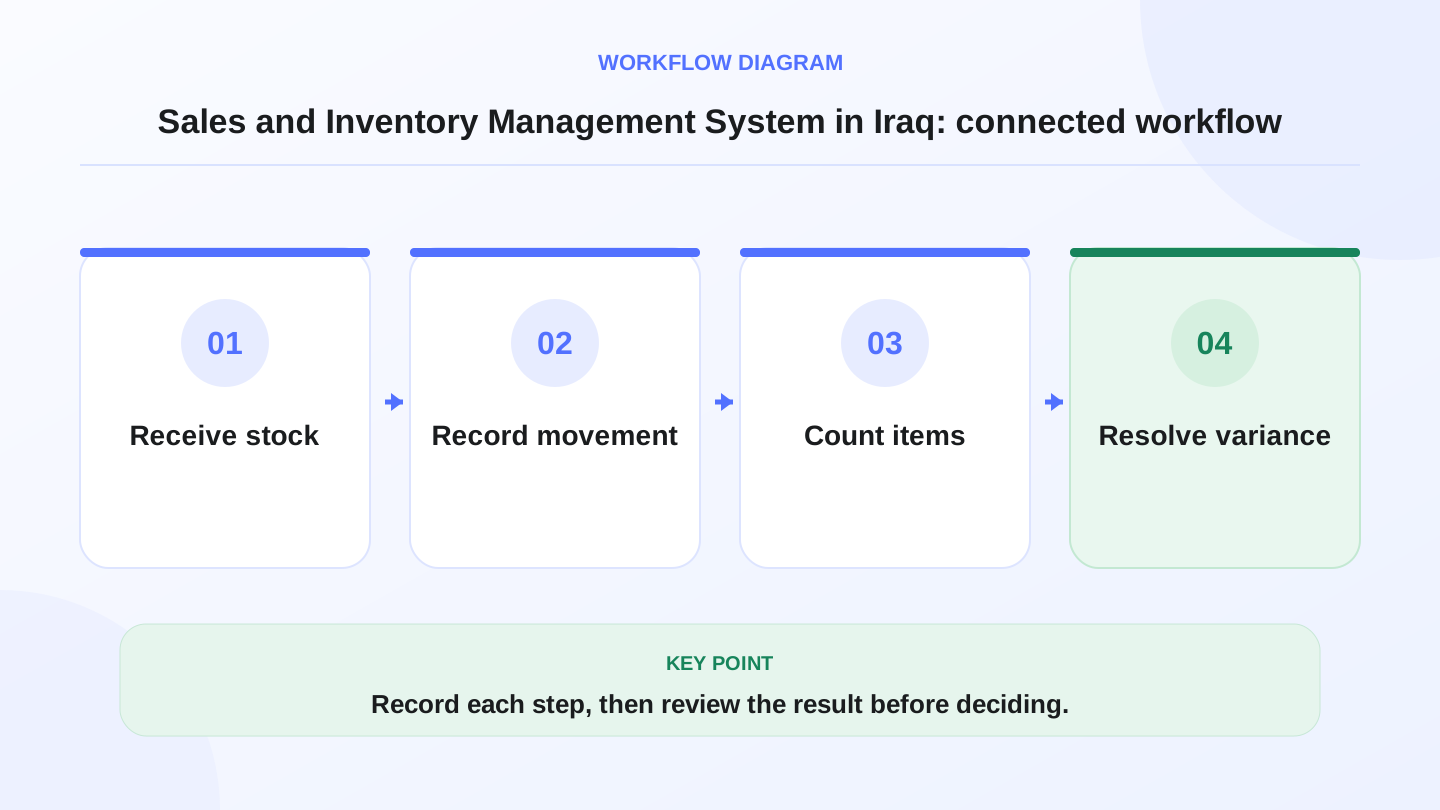
A practical sequence has four connected steps: Receive stock, Record movement, Count items, Resolve variance. Recording each step makes the daily result easier to review.
03
Why Iraq businesses need connected sales and stock
Many Iraq shops, restaurants, supermarkets, pharmacies, salons, and ecommerce sellers deal with fast sales, Arabic cashier teams, mixed product names, supplier invoices, delivery orders, and internet interruptions. If sales and inventory are not connected, the owner may know revenue but not know whether stock is correct.
The practical problem appears at the end of the day. The cashier total may look right, but shelves may be short, supplier bills may be missing, and online stock may still show products already sold in-store. A connected workflow reduces those surprises.

04
Core features to compare before buying
Use this table as a buying checklist. A system that only prints receipts is not enough if the business needs inventory discipline.
| Feature | What it should do | Why it matters in Iraq operations |
|---|---|---|
| POS checkout | Sell by touch screen, barcode, category, discount, or customer | Speeds up cashier work and reduces manual notes |
| Stock deduction | Reduce inventory automatically after confirmed sales | Prevents selling what is no longer available |
| Purchases | Record supplier bills and received quantities | Keeps stock increases tied to cost and supplier trail |
| Adjustments | Handle damage, loss, recounts, and corrections | Explains why physical stock differs from system stock |
| Branches | Separate or consolidate stock by location | Helps owners compare Baghdad, Erbil, Basra, or other branches |
| Ecommerce sync | Share products and stock with online orders | Avoids overselling between website and store |
| Reports | Show sales, best items, low stock, and margins where available | Turns daily activity into decisions |
05
Worked example: expected closing stock
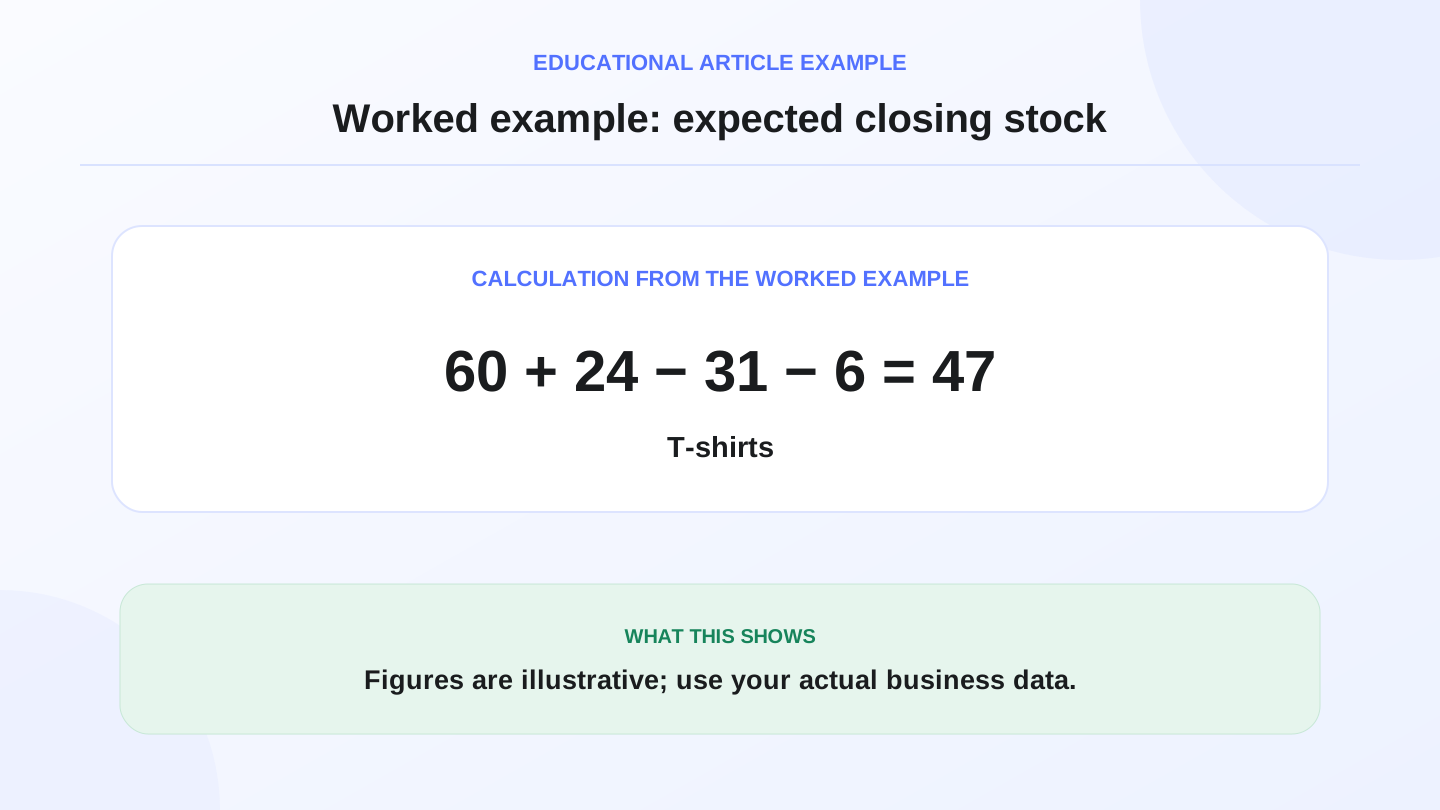
Assume a clothing shop starts the day with 60 black T-shirts. It receives 24 from a supplier, sells 31 through POS, and receives 6 online orders. Expected closing stock is 60 + 24 - 31 - 6 = 47 T-shirts.
If the physical count is 44, the difference is 47 - 44 = 3 items. Those 3 may be unrecorded sales, damaged goods, wrong purchase entry, theft, or a counting mistake. The value of the system is that the manager can trace each movement instead of guessing.
06
Daily workflow for a shop, restaurant, or branch
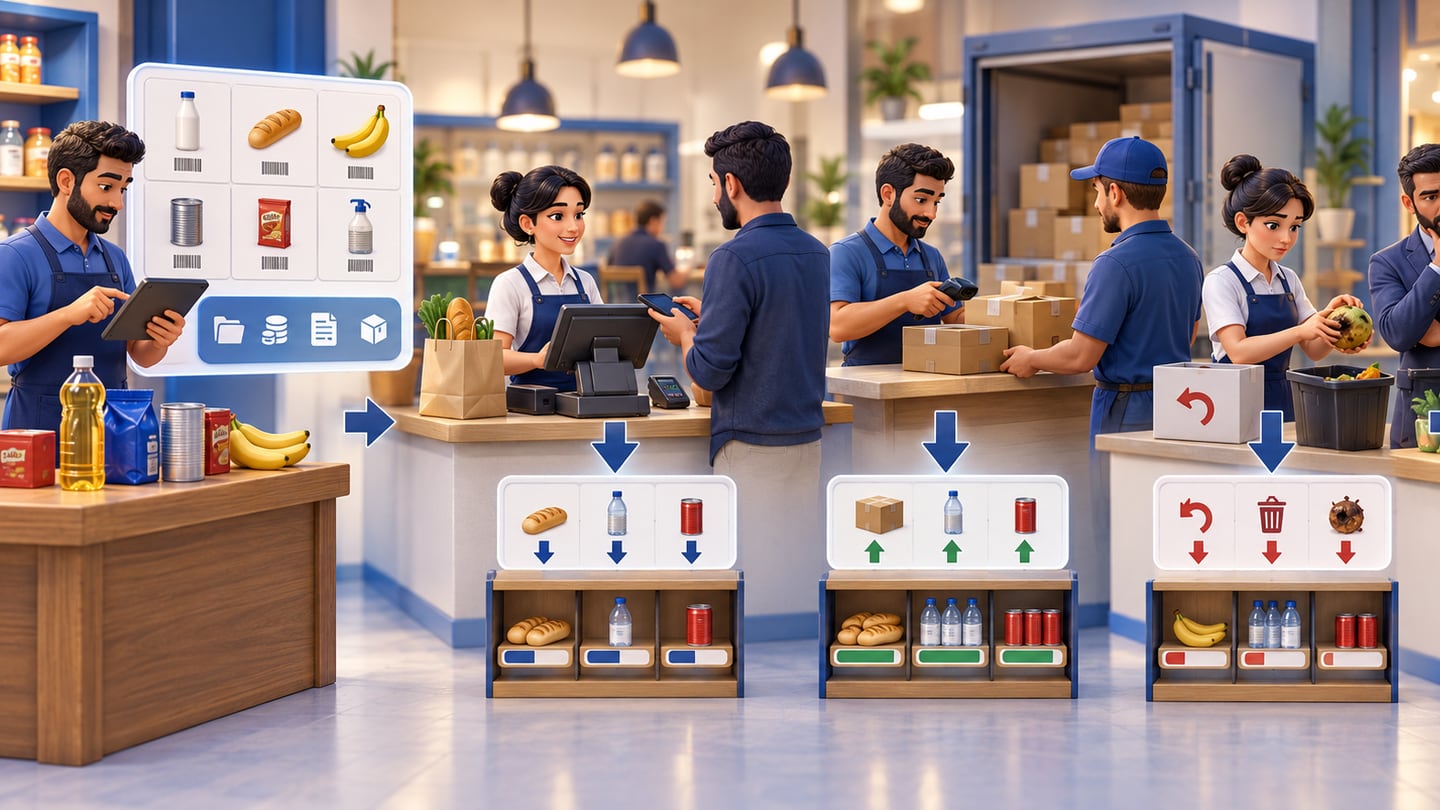
A clean workflow starts before the first sale. Products should have names, categories, prices in IQD, SKU or barcode details where needed, tax or invoice settings if used, and stock quantities. Staff should know which actions require manager permission.
During the day, POS sales reduce stock. Purchases increase stock. Returns, waste, damage, and transfers create separate movements. At close, the owner checks sales, payment methods, low-stock items, and exceptions instead of rebuilding the day from paper.
07
How ecommerce changes the inventory problem
An online store adds a second sales channel. If the ecommerce catalog is separate from POS inventory, staff may sell an item in-store while a customer orders the same item online. That leads to cancellation, apology calls, and weak customer trust.
A better setup uses one product and stock source for the cashier and website. RA8M Ecommerce creates a branded online storefront connected to POS products and inventory. If you sell both offline and online, review RA8M Ecommerce and RA8M POS together, not as separate systems.
08
Offline cashier work and inventory accuracy
Internet interruption should not stop sales. If the cashier switches to paper during an outage, stock and reports become incomplete unless every item is entered later. This creates risk during busy hours.
RA8M POS is offline-ready and syncs when internet returns. For inventory, that means sales can continue during the shift and still update the system later. The owner should still train staff on receipt handling, device charging, printer issues, and end-of-day review.
09
Reports owners should check weekly
Do not choose software only by the number of menu items in the dashboard. Ask whether reports answer practical questions. What sold most this week? Which products are slow? Which items are below reorder point? Which branch is overstocked? Which supplier purchases affected stock value? Which staff discounts or returns need review?
Good reporting turns inventory from a counting exercise into a management habit. It also helps the owner talk with accountants, branch managers, and purchasing staff using the same numbers.
10
When a simpler setup may be enough
A very small business with one owner, few products, no branches, no ecommerce, and low daily sales may start with a simple cashier and manual stock review. That can be enough while the owner personally sees every sale and purchase.
Upgrade when the business has staff, barcode products, supplier bills, variants, multiple locations, delivery orders, online stock, or frequent shortages. At that point, manual control costs time and creates mistakes.
11
Where RA8M fits
RA8M fits Iraq businesses that want selling, stock, purchases, roles, reports, branches, finance, and ecommerce in one Arabic-first system. It is relevant for retail shops, restaurants, cafés, supermarkets, pharmacies, salons, ecommerce sellers, and multi-branch operators.
RA8M is bilingual, supports RTL Arabic workflows, and is built around offline-ready POS sync. Pricing may change, so verify current plans on RA8M pricing. If you need workflows by business type, review industries.
Owners evaluating free sales and inventory software or Excel before a full system should read free sales and inventory software in Iraq for desktop-versus-cloud limits, offline tests, and branch sync—then use this guide for integrated paid workflows.
12
Conclusion
A sales and inventory management system should make daily operations clearer: sale, stock movement, purchase, adjustment, branch transfer, ecommerce order, and report. If those pieces connect, the owner can reorder earlier, reduce overselling, and understand performance faster.
Start by mapping your current sales and stock problems, then compare systems against the checklist above. RA8M is a strong fit when the business needs Arabic-first cashier work, connected inventory, offline selling, reports, and ecommerce from one operating system.
13
FAQs
What is a sales and inventory management system?
It is software that connects POS sales, purchases, stock quantities, adjustments, customers, branches, and reports so the business can track what sold and what remains.
Does a small shop in Iraq need sales and inventory software?
A very small shop may start manually, but software becomes useful when products, staff, suppliers, branches, ecommerce orders, or daily reports become difficult to control.
Why should POS and inventory be connected?
Connected POS and inventory reduce overselling, missed stock updates, duplicate entry, and end-of-day confusion because each sale updates the available quantity.
How does RA8M fit sales and inventory management?
RA8M connects POS, inventory, purchases, customers, reports, roles, branches, offline selling, and ecommerce so Iraq businesses can manage daily operations from one system.
Frequently asked questions
What is a sales and inventory management system?
It is software that connects POS sales, purchases, stock quantities, adjustments, customers, branches, and reports so the business can track what sold and what remains.
Does a small shop in Iraq need sales and inventory software?
A very small shop may start manually, but software becomes useful when products, staff, suppliers, branches, ecommerce orders, or daily reports become difficult to control.
Why should POS and inventory be connected?
Connected POS and inventory reduce overselling, missed stock updates, duplicate entry, and end-of-day confusion because each sale updates the available quantity.
How does RA8M fit sales and inventory management?
RA8M connects POS, inventory, purchases, customers, reports, roles, branches, offline selling, and ecommerce so Iraq businesses can manage daily operations from one system.
Written by
RA8M Team
Practical guides for restaurants, shops, and operations teams
Next step
Try RA8M with data close to your operation
Read next
Related RA8M guides
All-in-One Business Management
Store Management Software in Iraq: Sales, Stock and Branches
Read article
All-in-One Business Management
Shop Management Software in Iraq: POS, Stock and Branches
Read article
All-in-One Business Management
POS and Online Store System in Iraq: Unified Selling Guide
Read article
All-in-One Business Management
Business Management Software in Iraq: One System to Run It All
Read article
All-in-One Business Management
Company Management Software in Iraq: One Operating System
Read article