Low Stock Alerts in Iraq: Reorder Before Shelves Go Empty
A practical guide to low stock alerts for Iraq shops, restaurants, supermarkets, pharmacies, and branches that need cleaner purchasing and fewer stockouts.

Low stock alerts warn a business before an item runs out. For Iraq shops, restaurants, pharmacies, supermarkets, and branches, the useful setup connects POS sales, purchases, inventory movements, supplier lead time, and reorder points so managers know what to buy before shelves, ingredients, or fast-moving products go empty.
01
Low Stock Alerts in Iraq: Reorder Before Shelves Go Empty
A stockout is not only an empty shelf. It can mean a missed sale, a canceled online order, a disappointed customer, or a kitchen team unable to prepare a popular item. Low stock alerts help the business react before that happens.
Quick answer: Low stock alerts warn a business before an item runs out. For Iraq shops, restaurants, pharmacies, supermarkets, and branches, the useful setup connects POS sales, purchases, inventory movements, supplier lead time, and reorder points so managers know what to buy before shelves, ingredients, or fast-moving products go empty.
02
What low stock alerts actually do
A low stock alert is a rule inside inventory software. When the available quantity reaches a minimum number, the system marks the item for attention. The alert can appear in inventory reports, product screens, dashboards, or purchase planning lists.
The value is timing. If a supermarket waits until water bottles reach zero, the purchase decision is already late. If a restaurant waits until chicken is finished, the kitchen may remove a best-selling meal from the menu. A useful alert gives the manager enough time to order, receive, check, and restock.
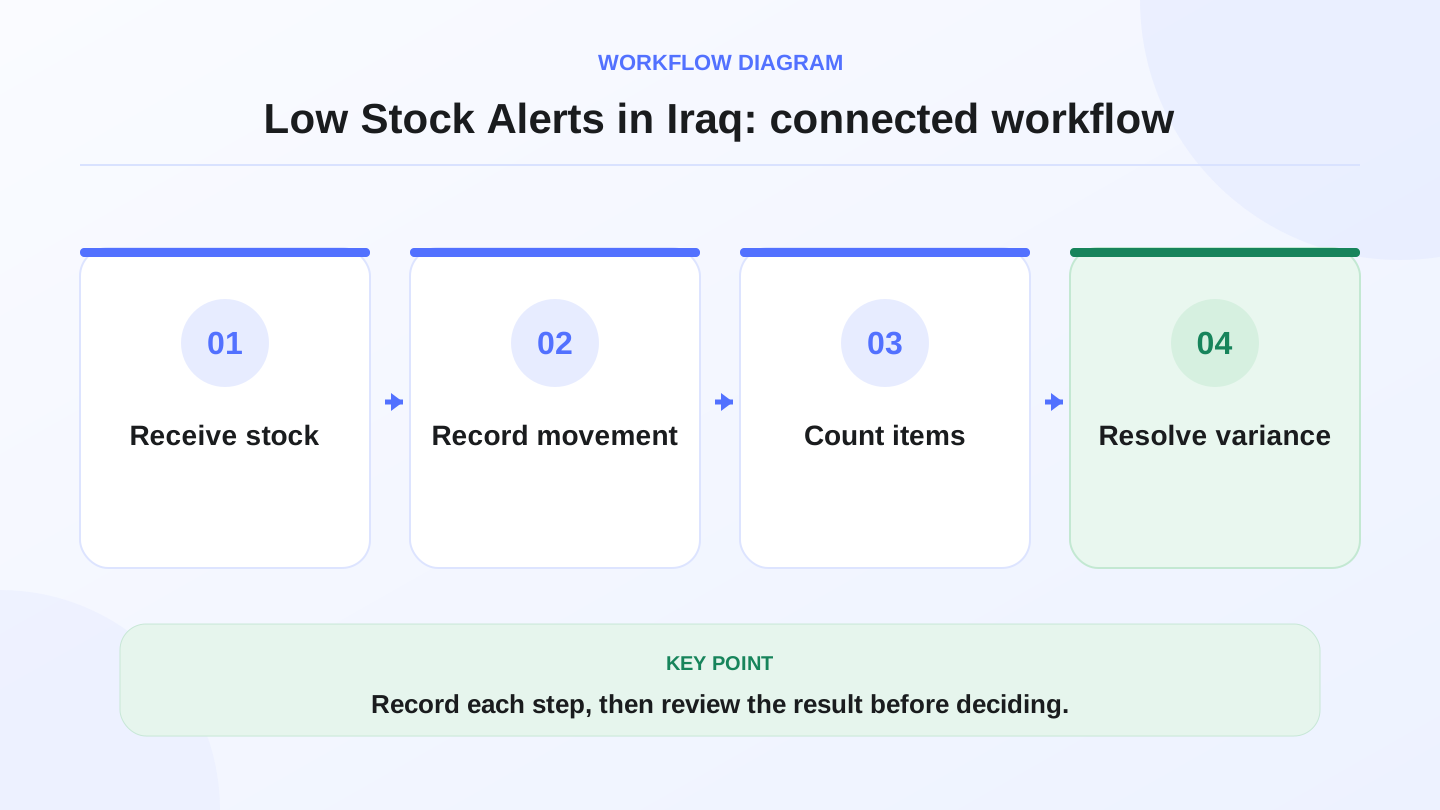
A practical sequence has four connected steps: Receive stock, Record movement, Count items, Resolve variance. Recording each step makes the daily result easier to review.
03
Why reorder points matter in Iraq operations
Supplier timing is not always perfect. A Baghdad shop may receive goods the same day, while another branch may wait two or three days. A restaurant may depend on fresh items. A pharmacy or cosmetics shop may have products with different movement speeds. A reorder point gives each item a minimum level based on real usage, not guesswork.
The same number should not apply to every item. Fast-moving items need higher buffers. Slow-moving items need smaller buffers so cash is not trapped in excess stock. The goal is balance: enough stock to keep selling, but not so much stock that money sits on the shelf.
04
Low stock alert checklist
Use this table during setup. The alert should reflect how the item moves, how long the supplier takes, and how painful a stockout would be.
| Item type | What to track | Suggested alert logic | Example risk |
|---|---|---|---|
| Fast retail item | Daily sales and supplier lead time | Reorder before 3 to 7 days of stock remain | Empty shelf during busy weekend |
| Restaurant ingredient | Recipe usage and purchases | Reorder before prep quantity runs low | Menu item unavailable |
| Pharmacy item | Stock level and expiry awareness | Reorder carefully with batch review | Overbuying slow item |
| Supermarket staple | High-volume POS sales | Higher buffer and frequent review | Lost daily sales |
| Branch stock | Quantity by location | Alert per branch, not only total stock | One branch empty while warehouse has stock |
| Ecommerce product | Online and in-store sales | Shared stock alert across channels | Overselling online |
05
Worked example: calculating reorder point
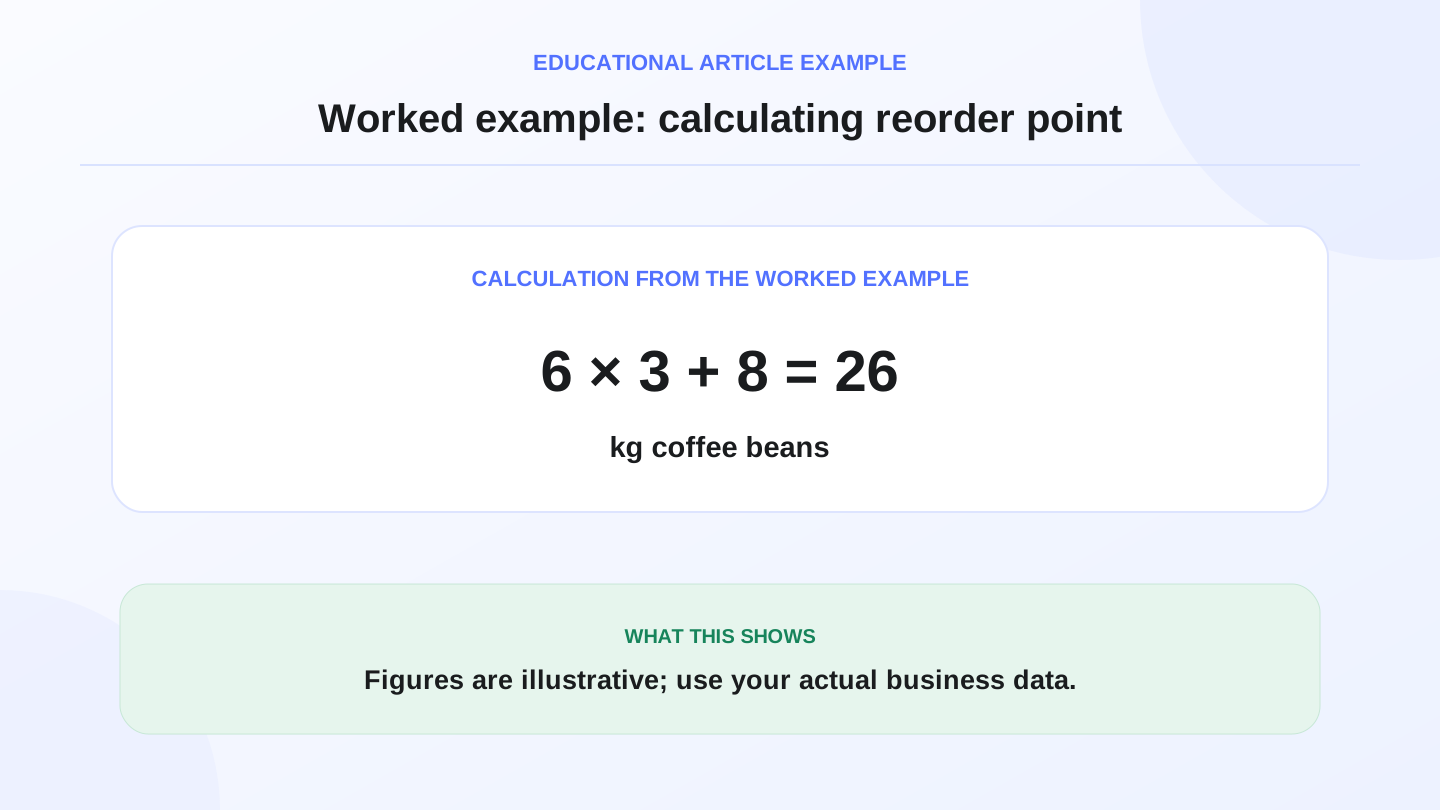
Assume a cafe uses 6 kg of coffee beans per day. The supplier usually delivers in 3 days. The owner wants 8 kg safety stock for busy days or delivery delays.
Reorder point = average daily usage × lead time + safety stock. That means 6 kg × 3 days + 8 kg = 26 kg. When coffee beans fall to 26 kg, the cafe should reorder. If it waits until 5 kg remain, even a normal supplier delay can stop sales.
For a retail item, the same formula works. If a shop sells 12 phone chargers per day, lead time is 4 days, and safety stock is 20 units, reorder point = 12 × 4 + 20 = 68 chargers.
06
Connect alerts to POS sales
Low stock alerts are weak if stock numbers are wrong. POS sales should reduce inventory automatically where the product is stock-tracked. Purchases should increase inventory when goods arrive. Adjustments should record damage, waste, theft suspicion, counting correction, or supplier mistakes.
When these movements are connected, the alert becomes more trustworthy. If the cashier sells 30 items today, the stock number changes today. If the manager enters a supplier bill, available quantity updates. The alert then reflects actual movement rather than a weekly spreadsheet.
RA8M connects POS, inventory, purchases, reports, roles, branches, and ecommerce. Review RA8M POS, industries, and pricing when comparing inventory systems.

07
Branches and warehouses need location-aware alerts
A multi-branch business can have enough total stock and still lose sales. If 100 units sit in the warehouse but the Basra branch has zero, the customer at that branch cannot buy. Low stock alerts should be visible by branch, warehouse, or location.
Transfers also matter. When stock moves from branch A to branch B, branch A decreases and branch B increases. If transfers are informal, alerts become confusing. A branch may reorder too much while another location holds excess stock.
08
When alerts should trigger purchases
An alert should not always create an automatic purchase. Some items are seasonal, slow-moving, damaged, discontinued, or waiting for price review. The best workflow is alert, review, approve, then purchase.
Managers should check recent sales, current orders, supplier minimum quantities, available cash, and storage space. For expensive inventory, approval protects cash. For fast supermarket items, faster purchasing may be safer.

09
When manual checking is enough
A very small shop with 40 products and one owner may visually check shelves every day. If supplier access is easy and products move slowly, manual reorder notes can work for a while.
Upgrade when the business adds staff, branches, variants, online orders, many suppliers, or high-volume sales. The trigger is usually not the number of products alone. It is the number of movements: sales, purchases, transfers, returns, adjustments, damage, and online orders.
10
Where RA8M fits
RA8M fits Iraq businesses that want inventory alerts connected to daily selling. It is useful when the business needs Arabic-first workflows, English support, offline-ready POS, purchases, roles, branch visibility, reports, and ecommerce stock sync.
A simpler setup may be enough for a tiny shop with slow products. But if stockouts already cause missed sales, canceled orders, or emergency purchases, a connected system is more reliable than a notebook.
11
Conclusion
Low stock alerts are a practical control, not a luxury dashboard. They help owners buy before stock runs out, understand supplier timing, and protect sales across stores, kitchens, pharmacies, warehouses, and ecommerce.
Set reorder points item by item. Connect POS sales and purchases. Review alerts before buying. If you need those steps in Arabic-first software for Iraq, RA8M is designed to connect inventory with POS, purchases, branches, reports, and online selling.
12
FAQs
What is a low stock alert?
A low stock alert is a warning that appears when item quantity reaches a defined minimum level, so the team can reorder before the product runs out.
How do I calculate a reorder point?
A simple reorder point is average daily usage multiplied by supplier lead time, plus a safety stock buffer for delays or busy days.
Do small shops in Iraq need low stock alerts?
Very small shops can check shelves manually, but alerts become useful when products, branches, staff, online orders, or supplier lead times increase.
Can RA8M help with low-stock workflows?
RA8M supports inventory, purchases, POS-connected stock, low-stock indicators, reports, branches, roles, and ecommerce-connected inventory workflows.
Frequently asked questions
What is a low stock alert?
A low stock alert is a warning that appears when item quantity reaches a defined minimum level, so the team can reorder before the product runs out.
How do I calculate a reorder point?
A simple reorder point is average daily usage multiplied by supplier lead time, plus a safety stock buffer for delays or busy days.
Do small shops in Iraq need low stock alerts?
Very small shops can check shelves manually, but alerts become useful when products, branches, staff, online orders, or supplier lead times increase.
Can RA8M help with low-stock workflows?
RA8M supports inventory, purchases, POS-connected stock, low-stock indicators, reports, branches, roles, and ecommerce-connected inventory workflows.
Written by
RA8M Team
Practical guides for restaurants, shops, and operations teams
Next step
Try RA8M with data close to your operation
Read next