Warehouse Management System in Iraq: A Practical Guide
A practical Iraq guide to choosing warehouse management software that connects inventory, barcode, purchases, branch transfers, POS sales, and reports.

A warehouse management system helps Iraq businesses know what stock exists, where it is, how it moved, and why quantities changed. A good system connects warehouse movements with POS sales, purchases, branch transfers, stock counts, barcode workflows, permissions, and reports so growing teams can reduce manual errors and make better buying decisions.
01
Warehouse Management System in Iraq: A Practical Guide
When a business in Iraq grows, inventory stops being just shelves, boxes, and purchase receipts. The daily questions become sharper: what do we actually have, where is it, why did it change, and who moved it? A warehouse management system turns those questions into traceable stock movements and reports.
Quick answer: A warehouse management system helps Iraq businesses know what stock exists, where it is, how it moved, and why quantities changed. A good system connects warehouse movements with POS sales, purchases, branch transfers, stock counts, barcode workflows, permissions, and reports so growing teams can reduce manual errors and make better buying decisions.
02
Why does warehouse control become difficult as a business grows?
At the beginning, memory and a simple spreadsheet may be enough. The owner knows roughly what came from suppliers and what sold during the week. But when SKUs increase, employees join, or a second branch opens, the gaps appear: stock shown in the system but missing on the shelf, purchases received but not entered, or transfers between branches that nobody can explain clearly.
The real issue is not storage space alone. It is that sales, purchases, stock counts, and management reports often live in separate places. The cashier sees sales, the warehouse employee sees receiving, and the owner sees a report after the fact. A useful warehouse management system connects those movements so every quantity has a history.
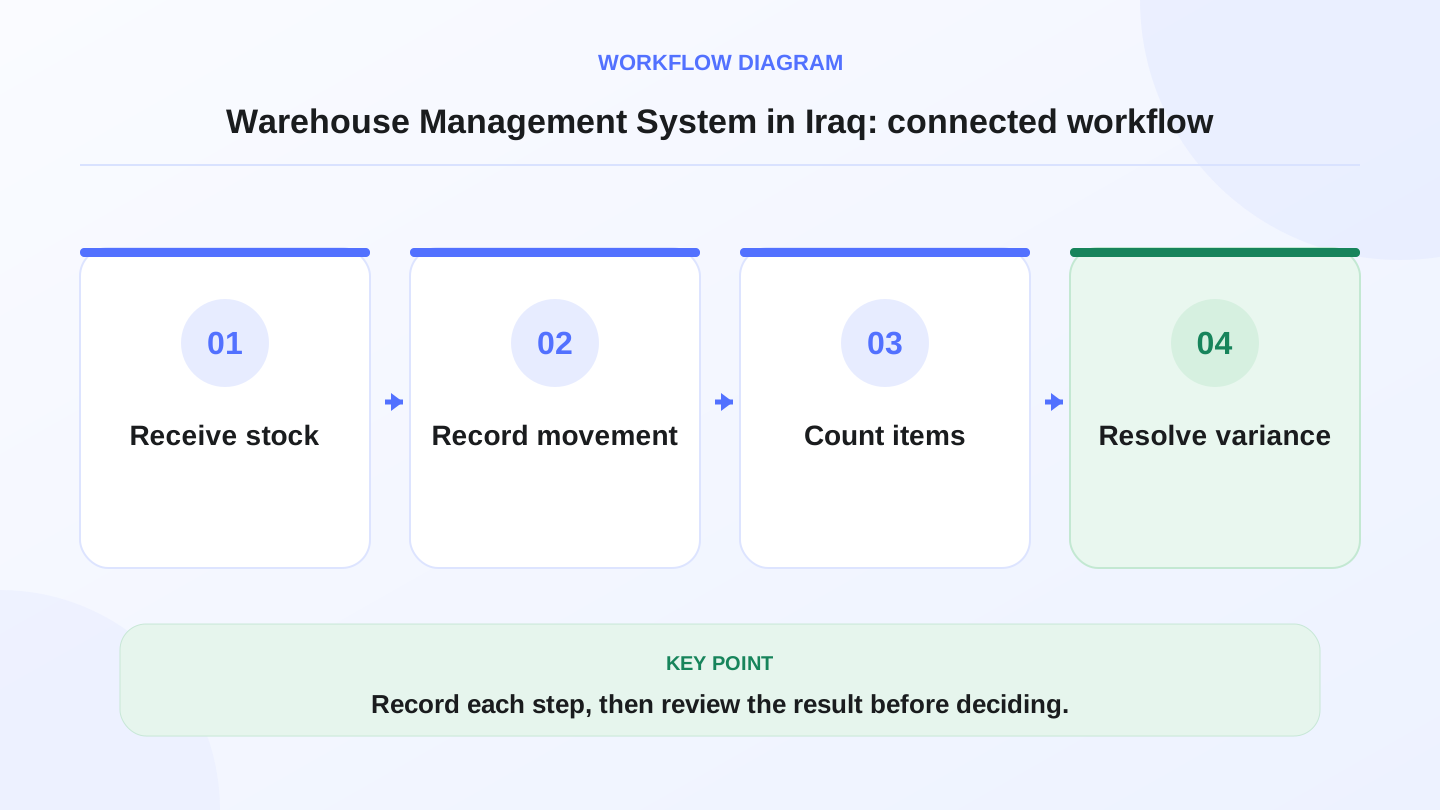
A practical sequence has four connected steps: Receive stock, Record movement, Count items, Resolve variance. Recording each step makes the daily result easier to review.
03
What is the difference between warehouse software and a basic POS?
A basic POS focuses on selling: add item, take payment, print receipt, and show sales. Warehouse software focuses on movement: receiving, transferring, adjusting, counting, tracking value, and knowing location. Growing businesses need both because sales without inventory gives an incomplete picture, while inventory without real-time sales can quickly become outdated.
If your business sells a small number of ready-made products, a simple POS may be enough at first. If the team spends time searching for quantities or explaining stock differences, connected warehouse management becomes more valuable.

| Area | POS only | POS with warehouse management |
|---|---|---|
| Sales | Records invoice and payment | Records sale and updates stock |
| Purchases | Often managed separately | Adds quantity, cost, and supplier record |
| Transfers | Manual or unclear | Tracks branch-to-branch movement |
| Stock count | Manual comparison | Expected vs actual difference |
| Reports | Mostly sales | Sales, inventory, purchases, and stock value |
04
Which movements should the system track?
A practical warehouse management system should answer five questions: what came in, what went out, what moved, what changed, and what remains. That means it should support purchase receiving, POS sales, branch transfers, stock adjustments, and stock counts.
RA8M’s public product information describes a connected flow between POS, inventory, purchases, reports, roles, and branches. That connection matters because one checkout should update inventory and reporting without a second manual entry. Permissions also matter because not every employee should be able to change quantities or approve transfers.
05
Worked example: stock after purchases, sales, transfer, and damage
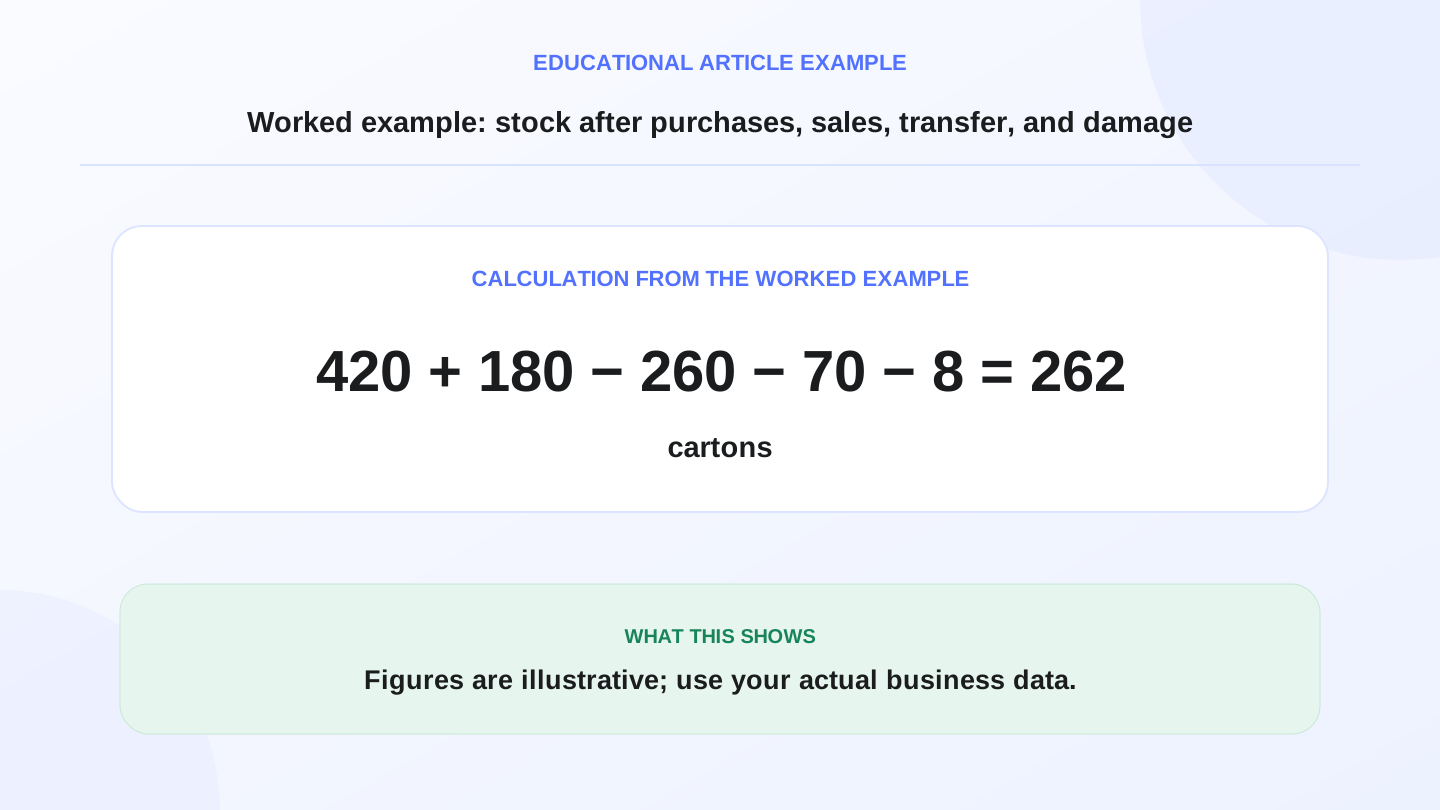
Imagine a foodstuff shop in Baghdad starts the week with 420 juice cartons in the warehouse. During the week it receives 180 cartons from a supplier, sells 260 through POS, transfers 70 to another branch, and finds 8 damaged cartons during inspection.
Expected stock = 420 opening + 180 purchases - 260 POS sales - 70 transfer - 8 damaged = 262 cartons.
If the physical stock count shows 250 cartons, the difference is 12 cartons. A strong system does not merely say stock is missing. It helps the owner review sales, transfers, adjustment permissions, receiving errors, and possible unrecorded movements.
These numbers are illustrative. Use your actual quantities, costs, suppliers, and accounting rules when making purchasing or finance decisions.
06
How does barcode software help warehouses?
Barcode scanning is not a luxury when products look similar or stock moves quickly. An employee can choose the wrong item, confuse two similar packages, or type a quantity incorrectly during a busy shift. Barcode workflows reduce that risk by linking a scan to the exact product record.
However, barcode software does not fix poor product setup. SKUs, categories, units, and variants still need to be clear. If a product is bought by carton and sold by unit, the conversion logic must be understood by the team. Otherwise the warehouse may show fake shortages or inflated stock because units were entered inconsistently.
07
What does a multi-branch operation need?
With two or more branches, the question is not only how much stock exists. It is where the stock exists. A product may be out of stock in Mansour but available in Basra. Without branch visibility, an owner may buy more stock even though a transfer could solve the immediate problem.
This is why testing the system only on the sales screen is not enough. You should test receiving, branch transfer, adjustment, and stock count workflows before committing.

| Business stage | Common risk | System capability needed |
|---|---|---|
| One small shop | Purchases forgotten | Simple receiving and stock count |
| Shop with back stockroom | Shelf differs from system | Clear stock movement log |
| Two branches | Unrecorded transfers | Branch transfer and permissions |
| Several branches | Overbuying or local stockouts | Shared visibility and branch reports |
| Production or recipes | Raw material use is hidden | Raw material and finished goods logic |
08
What warehouse reports should an owner actually read?
Good warehouse reporting should not drown the owner in numbers. It should provide three useful layers: current quantity, movement during a period, and approximate stock value. These help with purchasing decisions, stock count correction, and identifying slow-moving items.
For example, if an item sells 20 units per day and only 30 units remain, you have about 1.5 days of stock left. If the supplier needs three days to deliver, the system should make that risk visible before sales stop. The point of reporting is not a pretty dashboard; it is an earlier and clearer operating decision.
09
When does RA8M fit, and when is a simpler setup enough?
RA8M fits businesses that want sales, inventory, purchases, reports, roles, ecommerce, and branch operations in one connected system. It is especially relevant for shops, restaurants, supermarkets, bakeries, and growing operators in Iraq that want Arabic-first workflows with English support. RA8M POS is also described as offline-ready, so selling can continue during internet interruptions and sync later.
A simpler setup may be enough if your business has very few SKUs, no employees, no branches, and no recurring stock count differences. But set a clear trigger for upgrading: repeated stock gaps, too much time spent checking quantities, more branch transfers, or purchasing decisions based on guesses.
Before buying, review current pricing, because public pricing can change and should be verified on the live pricing page.
10
How should you implement warehouse management without chaos?
Start by cleaning the product list. Standardize names, categories, units, and barcodes if you use them. Then enter opening stock after a real count, not from memory. For the first week, train the team on three movements only: sale, purchase receiving, and branch transfer.
After one week, review differences. Do not expect every error to disappear immediately. The first goal is to make errors traceable. Once the basic movements are stable, add stronger permissions, periodic stock counts, stock value reports, and more detailed branch rules.
If your search started with برنامج مخازن or free Excel downloads, read free sales and inventory software in Iraq to test whether sales and warehouse stay on one path before adopting a full WMS.
11
Conclusion: a warehouse is a movement record, not just a storage room
A good warehouse management system in Iraq does more than add a new screen. It connects what the cashier sells, what the warehouse receives, what the branch transfers, and what the owner reviews into one operating record.
If your business is moving from a small shop to a more structured operation, start with the essentials: organized products, clear purchases, POS-linked inventory, documented transfers, and regular stock counts. Then use RA8M POS and industry workflows to build a more reliable day-to-day operation.
Frequently asked questions
What is a warehouse management system?
It is software that organizes stock quantities, locations, and movements from purchase receiving to sales, transfers, stock counts, adjustments, and reports.
When do I need warehouse software instead of spreadsheets?
When SKUs, branches, transfers, or stock count differences become hard to control manually. If you cannot know the real quantity without a long manual search, it is time to consider a system.
Should warehouse management connect to POS?
Yes, if daily selling changes stock. POS integration reduces double entry and keeps sales, inventory, and reports closer to the real operation.
Is barcode software required for every warehouse?
Not always at the beginning, but it becomes important when products look similar, SKUs increase, or the team needs faster and more accurate counting.
When does RA8M fit warehouse management?
RA8M fits businesses that need POS, inventory, purchases, branch visibility, and reports in one connected system, especially when daily sales should update stock movements.
Written by
RA8M Team
Practical guides for restaurants, shops, and operations teams
Next step
Try RA8M with data close to your operation
Read next
Related RA8M guides
Inventory and Warehouse
Stocktaking Software in Iraq: Tools for Accurate Counts
Read article
Inventory and Warehouse
Inventory Adjustments and Shrinkage in Iraq: Control Stock Variance
Read article
Inventory and Warehouse
Low Stock Alerts in Iraq: Reorder Before Shelves Go Empty
Read article
Inventory and POS
Barcode Software in Iraq: Faster Cashier and Cleaner Stock
Read article
POS and Cashier
POS with Barcode in Iraq: Faster Checkout and Stock Control
Read article