Electronics Store Software in Iraq: POS, Stock and Repairs
A practical Iraq guide for mobile phone and electronics stores: barcode POS, variants, serial-aware stock habits, invoices, customers, repairs, branches, and reports.
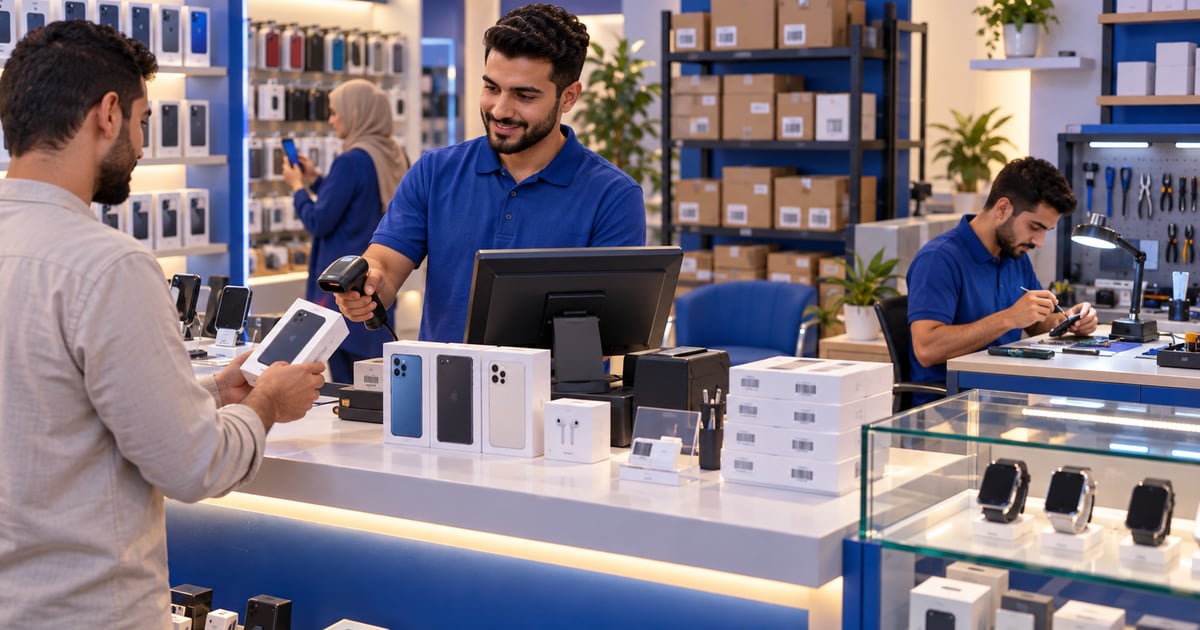
Electronics store software helps mobile phone and gadget shops manage cashier sales, barcode items, accessories, customer invoices, stock movement, repairs or service jobs, roles, branches, and reports. In Iraq, the best fit is Arabic-first, supports IQD, works offline at the POS, and connects sales to inventory so owners can see what sold and what must be reordered.
01
Electronics Store Software in Iraq: POS, Stock and Repairs
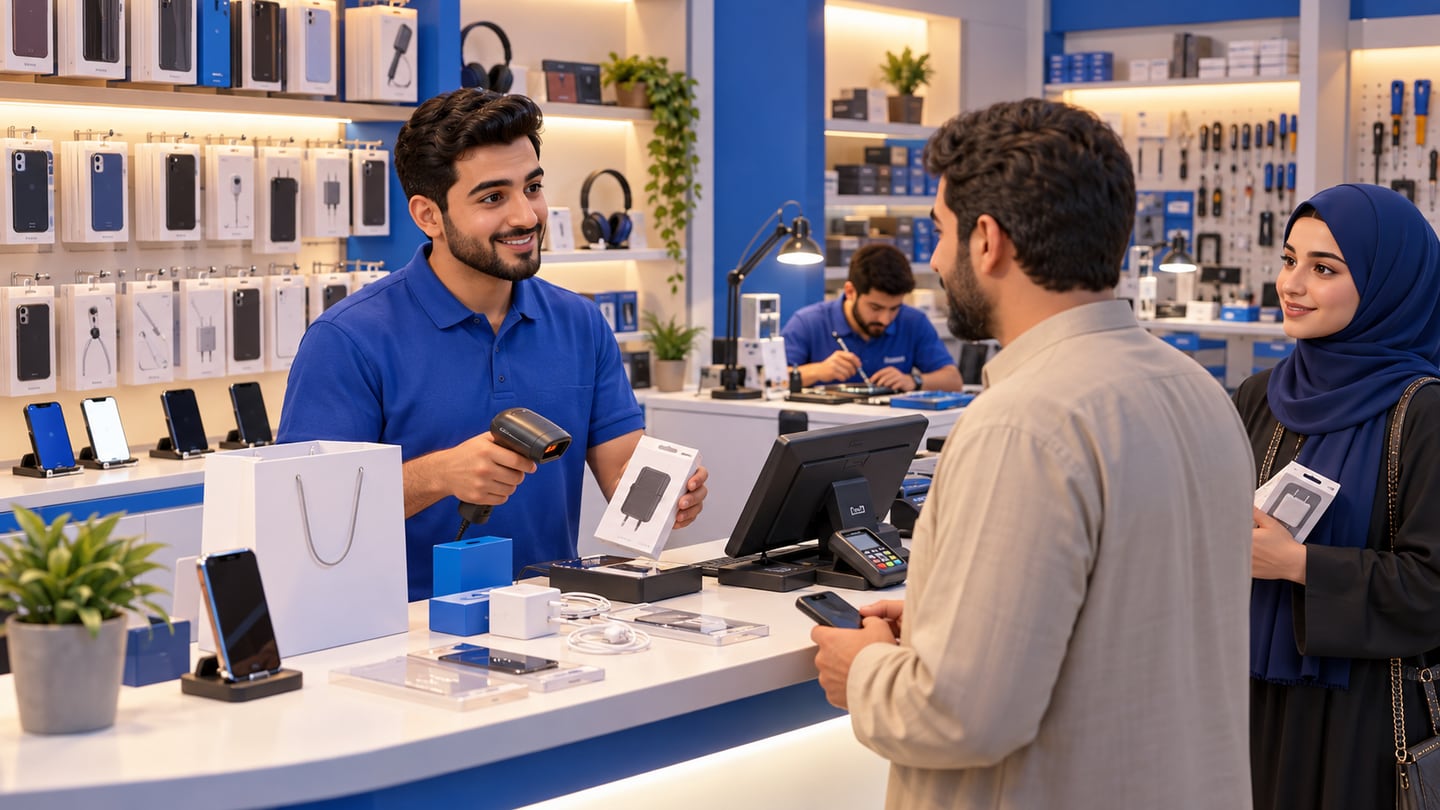
Electronics and mobile phone shops in Iraq move quickly. A customer buys a charger, another asks about a phone case, someone returns with a repair question, and the owner still needs to know which items are profitable and which accessories are running out.
Quick answer: Electronics store software helps mobile phone and gadget shops manage cashier sales, barcode items, accessories, customer invoices, stock movement, repairs or service jobs, roles, branches, and reports. In Iraq, the best fit is Arabic-first, supports IQD, works offline at the POS, and connects sales to inventory so owners can see what sold and what must be reordered.
02
What makes electronics retail harder than normal cashier work?
A basic cashier can record money coming in. An electronics shop needs more than that. It may sell phone cases, chargers, headphones, smart watches, screen protectors, SIM-related accessories, repair services, and high-value devices. Each category behaves differently.
Accessories sell in high volume with many variants. Devices may need clearer customer invoices. Repairs need notes, status, and follow-up. Purchases may arrive in mixed quantities from different suppliers. If everything is handled in a notebook, the owner loses visibility.
Good electronics store software turns these moving parts into a repeatable workflow: receive stock, sell through POS, record customer details when needed, update inventory, review reports, and reorder before fast items disappear.
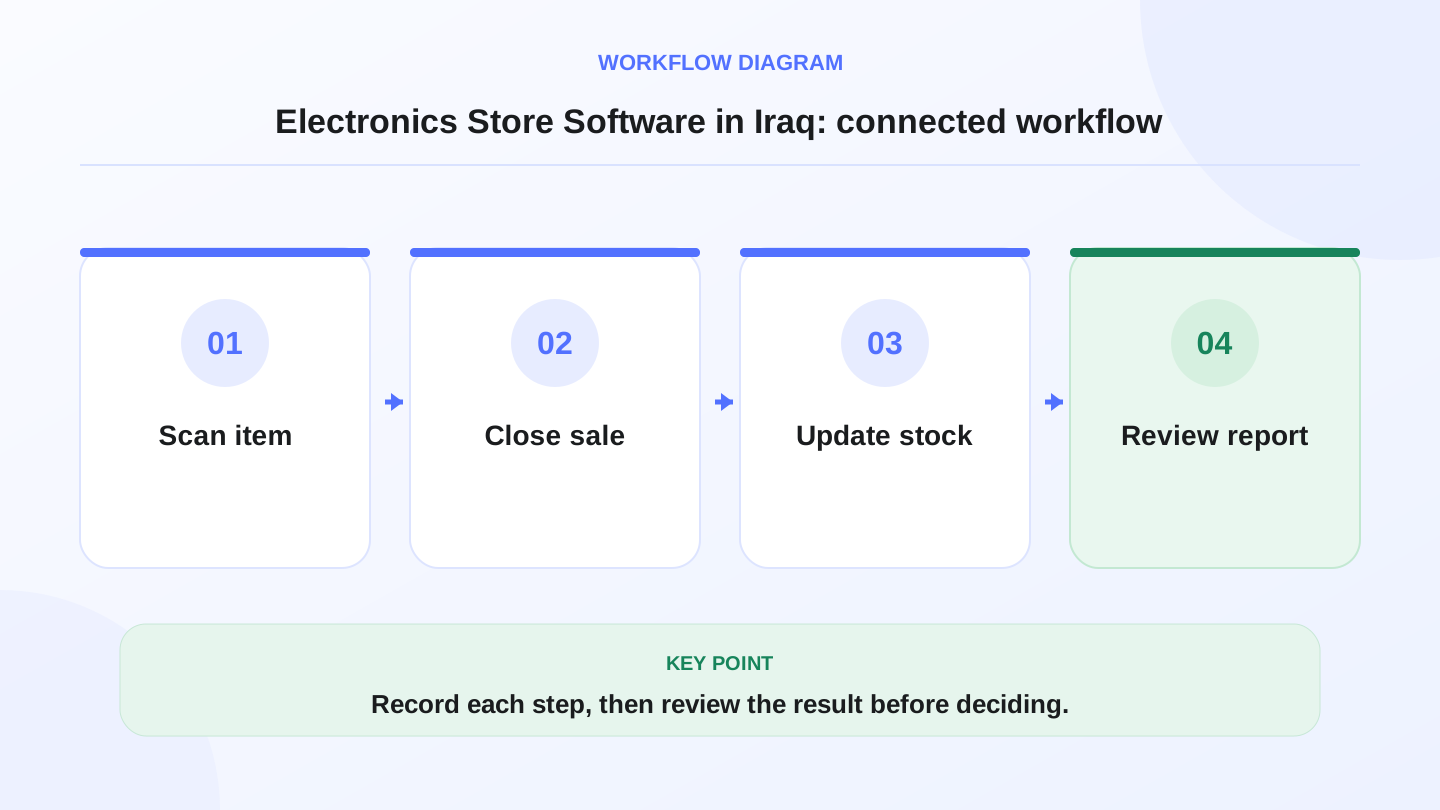
A practical sequence has four connected steps: Scan item, Close sale, Update stock, Review report. Recording each step makes the daily result easier to review.
03
Which features should mobile phone shop software include?
The right feature set depends on shop size, but most electronics retailers need cashier speed and inventory discipline together. A system that is strong at receipts but weak at stock will create problems after a few weeks.
The goal is not to collect features. The goal is to prevent daily mistakes that cost margin.
| Feature | Why electronics shops need it | Practical example |
|---|---|---|
| Barcode POS | Fast checkout for accessories | Scan charger, cable, and cover quickly |
| Product variants | Same item in colors or models | iPhone case by model and color |
| Customer invoices | Clear record for higher-value sales | Phone or accessory bundle receipt |
| Purchases | Supplier bills and stock increases | New shipment of 120 chargers |
| Inventory reports | Know what sold and what is low | Reorder top cables before weekend |
| Roles | Limit price changes and refunds | Cashier sells, manager approves discount |
| Branches | Compare stores by location | Baghdad branch vs Erbil branch sales |
| Ecommerce sync | Sell online without stock confusion | Online accessory order reduces stock |
04
How should POS handle accessories, variants, and barcodes?
Accessories are usually the highest-volume part of a phone or electronics shop. They also create the most inventory noise because one shelf can contain many similar items. A phone cover for one model is not the same as a cover for another model, even if the price is close.
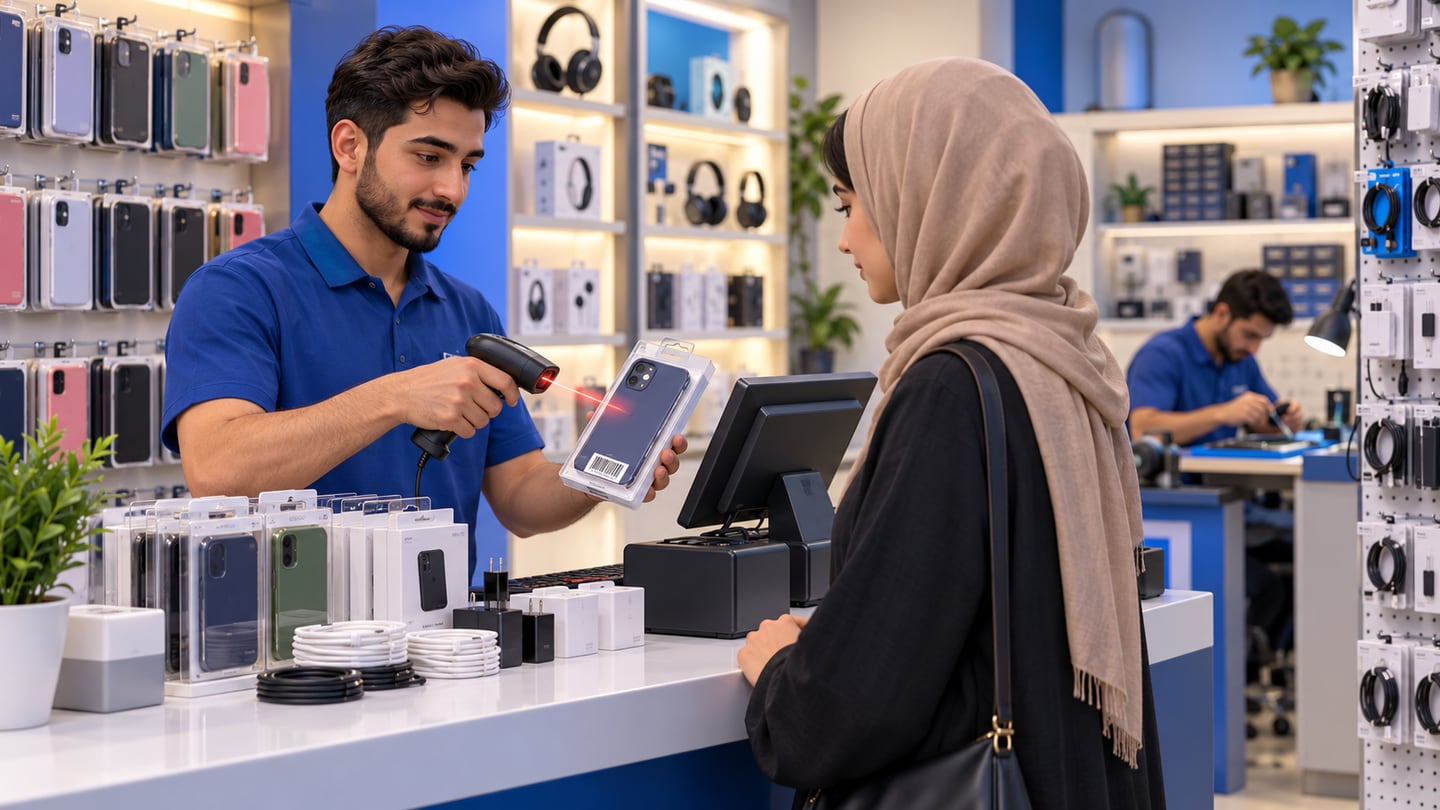
Barcode POS helps staff sell quickly and reduce wrong-item selection. Product categories and variants help the owner understand what actually sold. If the shop only records a generic item called accessory, reports cannot answer which model, color, or price point is moving.
For Iraq teams, Arabic names and clear categories matter. Staff should be able to search in the language they use at the counter, while the owner can still review reports in Arabic or English.
05
Worked example: stock after sales and purchases
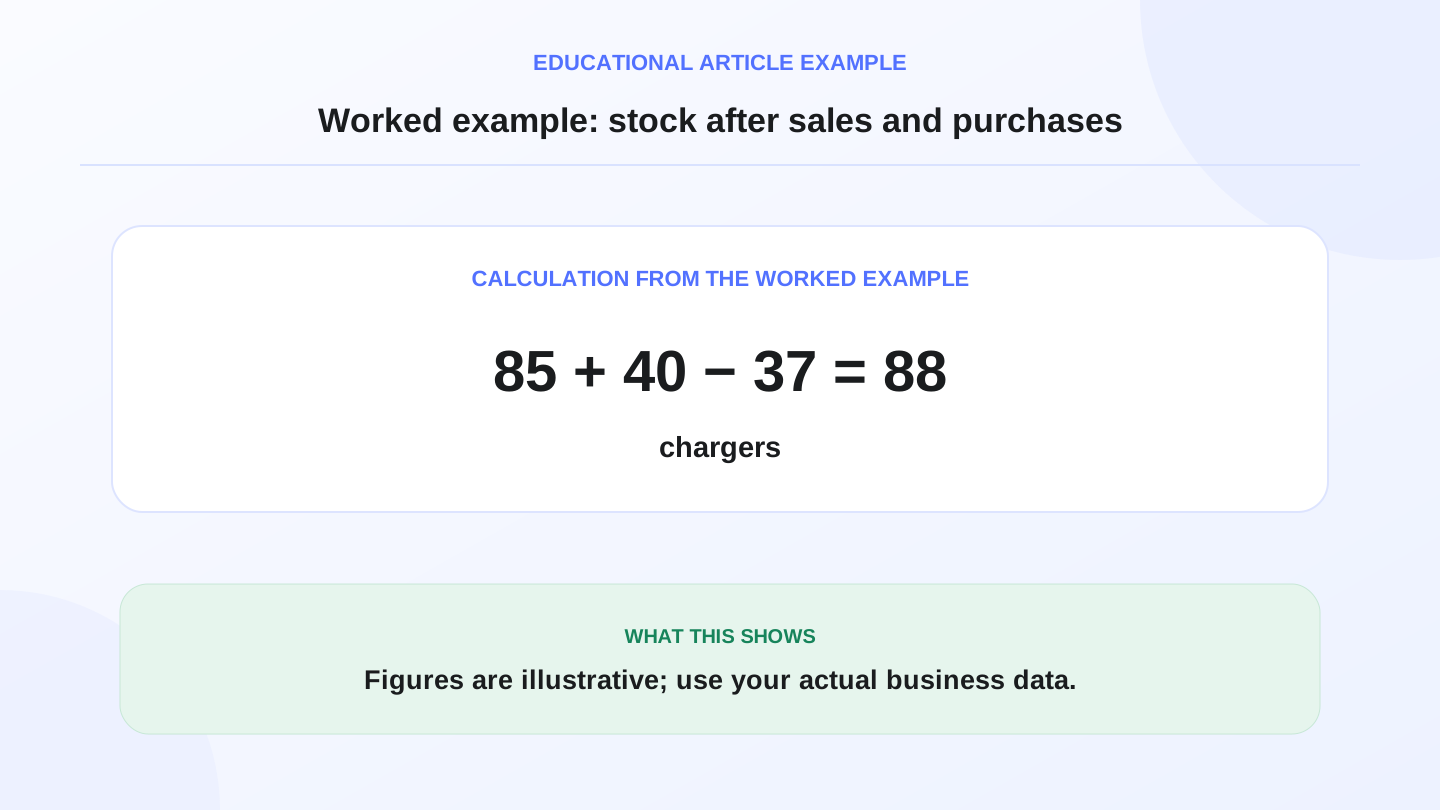
Assume a mobile phone shop starts the day with 85 Type-C chargers. During the morning, a supplier delivers 40 more chargers. By closing time, POS invoices show 37 chargers sold.
The expected closing stock is: opening stock 85 + purchases 40 − sales 37 = 88 chargers.
If the actual shelf count is 82, the difference is 88 − 82 = 6 chargers. The owner should check whether six items were damaged, entered under the wrong product, sold without being scanned, transferred to another branch, or counted incorrectly.
This example is illustrative, but it shows why connected POS and inventory matter. Without the sales and purchase records, the owner only knows that the shelf looks lower.
06
Why invoices and customer history matter
Electronics purchases often need clearer proof than a simple cash total. A customer may come back about a charger, screen protector, device accessory, repair job, or warranty-related store policy. A digital invoice helps the team find what was sold and when.
Customer history also helps with repeat buyers. A shop that sells accessories, repair services, and ecommerce orders can serve customers better when previous purchases are visible. The goal is not to store unnecessary private details; it is to keep useful operational records that support service and follow-up.
RA8M supports customers, invoices, reports, and POS sales records, which helps shops move from memory-based service to searchable records.
07
Repairs and service jobs need structured notes
Many electronics shops also handle repairs or service tasks. Even if the POS system is not a dedicated repair workshop system, the business still needs a disciplined way to record service item, customer, expected cost, payment, status, and pickup notes.
A practical workflow can separate product sales from service revenue. For example, a screen protector installation can be a service item, while a replacement cable is a stock item. Reports then show both product revenue and service revenue more clearly.
If your business has formal warranty, serial-number, or legal obligations, confirm the required recordkeeping with qualified advisors and your own business policy. Do not rely on general software guidance as legal advice.
08
Offline POS matters during busy selling hours
Internet interruptions are not just an inconvenience. If the POS stops working, the line stops moving, invoices are skipped, and stock records become incomplete. Electronics stores often have busy evening and weekend traffic, so the cashier must keep selling.
RA8M POS is offline-ready, allowing teams to continue selling and printing receipts when the internet drops, then sync when the connection returns. For a shop owner, the value is continuity: staff do not abandon the system during the exact moments when accurate records matter most.
This is especially important for branches, because one location should not lose a day of clean sales data because of connectivity.
09
Branches, roles, and reports for growing shops
A single electronics shop may only need one cashier and one manager. A growing business may have multiple branches, stock transfers, different cashiers, and owner-level reporting. At that stage, visibility becomes a management issue.
Roles help control who can edit products, approve discounts, refund invoices, or view financial reports. Branch reports help the owner compare locations. Inventory reports show whether one branch has slow-moving stock while another branch is running out.
RA8M is relevant for single-shop and multi-branch operators because it connects roles, branches, inventory, finance, and reports instead of leaving each branch to manage its own spreadsheet.
10
Ecommerce for electronics and accessories
Many phone shops sell through Instagram, WhatsApp, or a simple online catalog before they build a structured storefront. The risk is overselling. An accessory may be sold in store and online at the same time if stock is not shared.
RA8M Ecommerce adds a branded online storefront connected to POS products and stock. For electronics shops, this can help sell accessories online while keeping product and inventory records aligned with the shop. Review RA8M Ecommerce if your store wants online orders connected to the same products used at the cashier.
A connected setup also helps payment and delivery follow-up because orders, customers, and stock are part of the same operational picture.
11
When RA8M fits, and when a simpler setup is enough
RA8M fits electronics and mobile phone shops that need POS, barcode sales, variants, inventory, purchases, invoices, customers, reports, roles, branches, offline selling, and possibly ecommerce. It is especially useful when the owner wants Arabic-first workflows and clean daily numbers in Iraq.
A simpler cash register may be enough for a tiny kiosk with a few accessories, one owner, and no stock complexity. But if the shop has employees, many SKUs, repairs, supplier purchases, customer invoices, branches, or online orders, connected software is usually safer.
Before buying, review current pricing. Public pricing can change, so verify the live pricing page before choosing a plan.
12
Implementation checklist for an electronics store
Start with product cleanup. Create categories such as chargers, covers, headphones, devices, repairs, and accessories. Add barcodes where available. Separate models and variants clearly so staff do not sell the wrong item.
Next, enter opening stock and supplier records. Train cashiers to scan items, avoid generic products, and use manager approval for unusual discounts or returns. During the first month, compare expected stock with actual stock for the top 20 fast-moving items every week.
Finally, review reports. Look for high-volume accessories, slow devices, repeated discounts, and low-stock items. Software becomes valuable when the owner uses these reports to reorder, price, train, and control the operation.
13
Conclusion: choose software that protects margin
Electronics store software in Iraq should make the counter faster and the back office clearer. The right setup connects barcode POS, invoices, inventory, purchases, customers, roles, branches, offline sync, and reports. Explore RA8M POS, industries, and pricing to decide whether it fits your shop.
Frequently asked questions
What software does an electronics store need?
An electronics store needs POS, inventory, barcode items, customer invoices, payment records, purchase tracking, staff roles, and reports. Larger stores may also need branch visibility and ecommerce sync.
Is mobile phone shop software different from normal retail POS?
Yes. Phone shops often manage models, accessories, variants, repairs, customer history, warranty notes, and fast-moving stock, so generic cashier software may not be enough.
Should electronics store POS work offline?
Yes. Shops in Iraq should be able to keep selling and printing receipts during internet interruptions, then sync data when the connection returns.
Can RA8M manage an electronics shop?
RA8M supports retail POS, barcode workflows, inventory, purchases, customers, invoices, roles, branches, reports, offline selling, and ecommerce, which are relevant to electronics and mobile phone shops.
When is a simple cash register enough?
A simple register may be enough for a very small accessories kiosk, but connected software becomes safer when the shop has staff, many SKUs, repairs, purchases, branches, or online orders.
Written by
RA8M Team
Practical guides for restaurants, shops, and operations teams
Next step
Try RA8M with data close to your operation
Read next
Related RA8M guides
Retail Shops
Mobile Phone Shop Software in Iraq: POS and Inventory Guide
Read article
Retail Shops
Shoe Store Software in Iraq: POS, Sizes, Stock and Reports
Read article
Retail Shops
Clothing Store Software in Iraq: POS for Sizes and Stock
Read article
Retail Shops
Accessories Shop Software in Iraq: POS, Stock and Variants
Read article
Retail Store Management
Retail POS and Store Management in Iraq: The Essentials
Read article