Point of Sale System in Iraq: A Complete Guide
A practical Iraq guide to choosing a point of sale system for cashier sales, inventory, receipts, reports, offline selling, and growth.
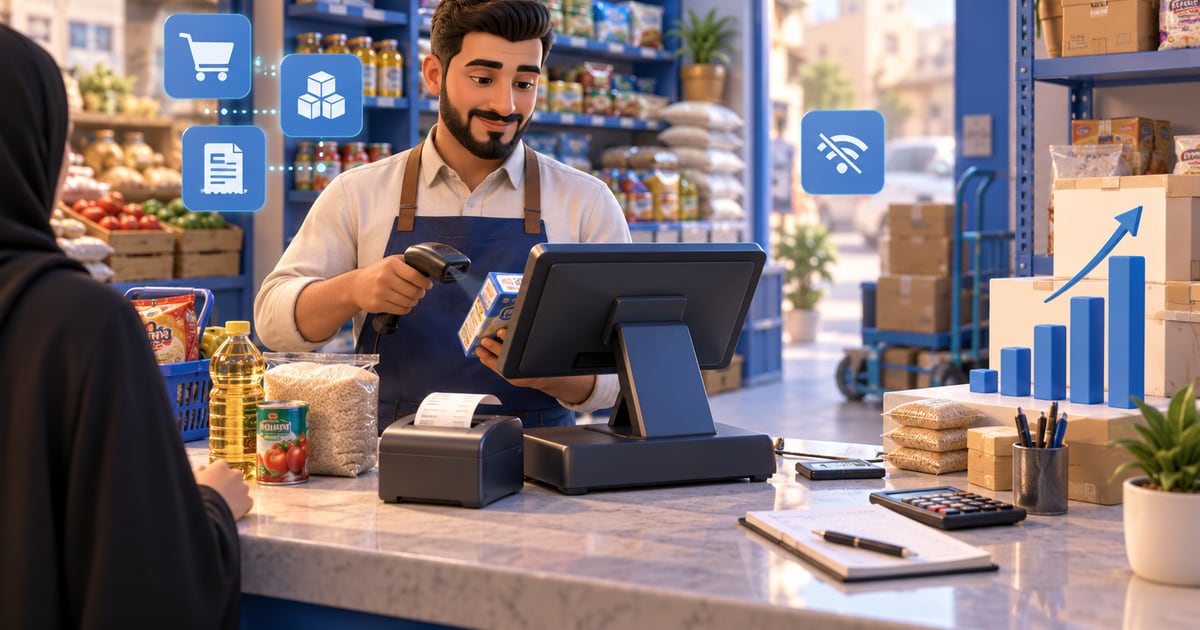
A point of sale system is cashier software that records sales, payments, receipts, customers, inventory movements, and reports from one place. For Iraq businesses, the best POS setup should support Arabic and English teams, IQD pricing, offline selling, barcode workflows, inventory deduction, purchases, branch roles, and clear daily reports.
01
Point of Sale System in Iraq: A Complete Guide
A point of sale system is the operating desk of a business, not just a payment screen. It records what was sold, who sold it, how the customer paid, what stock changed, and which report the owner should read at the end of the day.
Quick answer: A point of sale system is cashier software that records sales, payments, receipts, customers, inventory movements, and reports from one place. For Iraq businesses, the best POS setup should support Arabic and English teams, IQD pricing, offline selling, barcode workflows, inventory deduction, purchases, branch roles, and clear daily reports.
02
What does a point of sale system actually do?
A point of sale system handles the moment a sale happens. In a restaurant, that may mean adding meals, modifiers, discounts, and receipts. In a retail shop, it may mean scanning barcodes, choosing variants, taking cash or card, and updating inventory. In a salon, it may mean selecting a service, staff member, payment method, and customer record.
The practical value is that the sale becomes a structured record. Instead of writing one number in a notebook, the system knows the item, quantity, price, cashier, branch, payment method, and time. That record becomes useful for inventory, reports, purchasing, and finance.
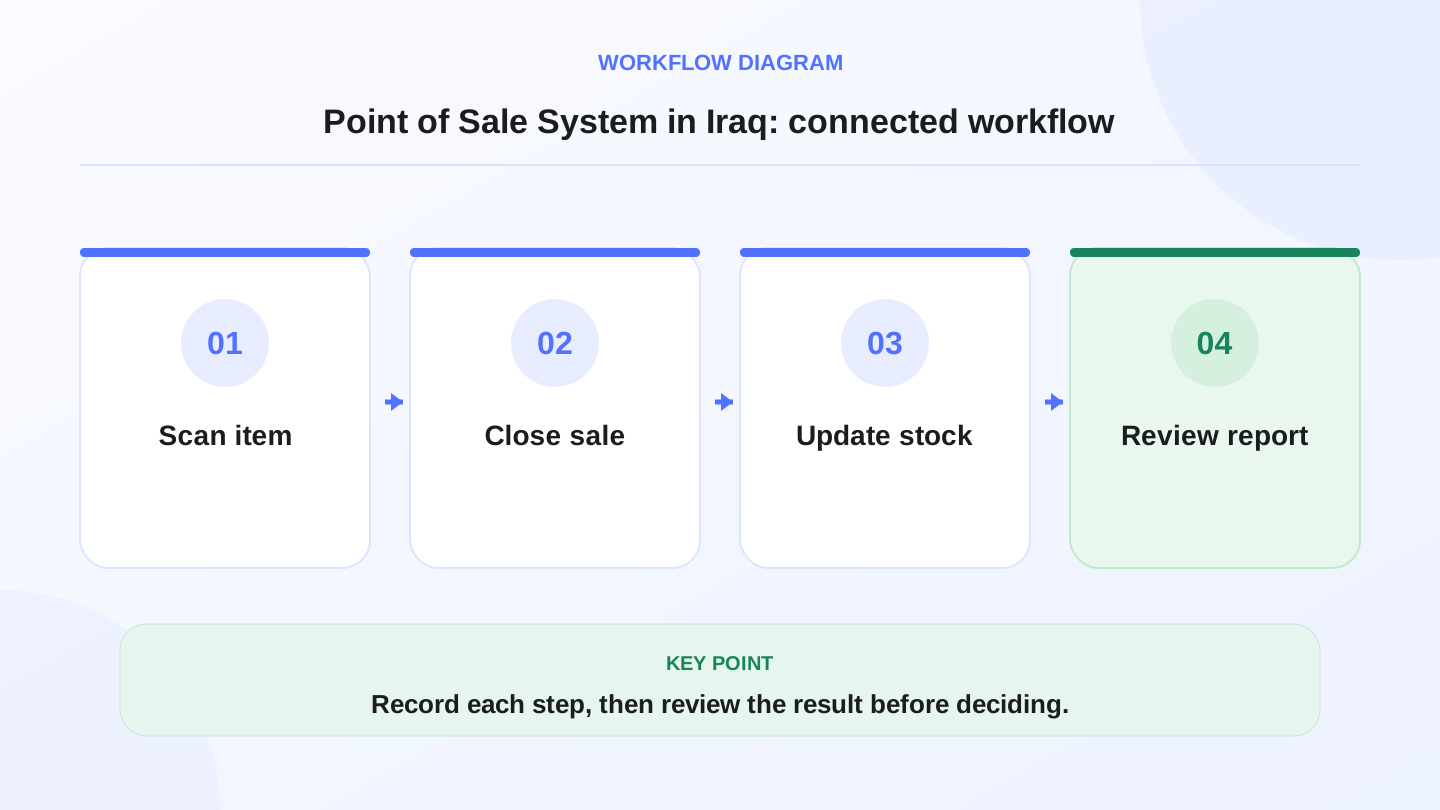
A practical sequence has four connected steps: Scan item, Close sale, Update stock, Review report. Recording each step makes the daily result easier to review.
03
POS system vs cash register: what is the difference?
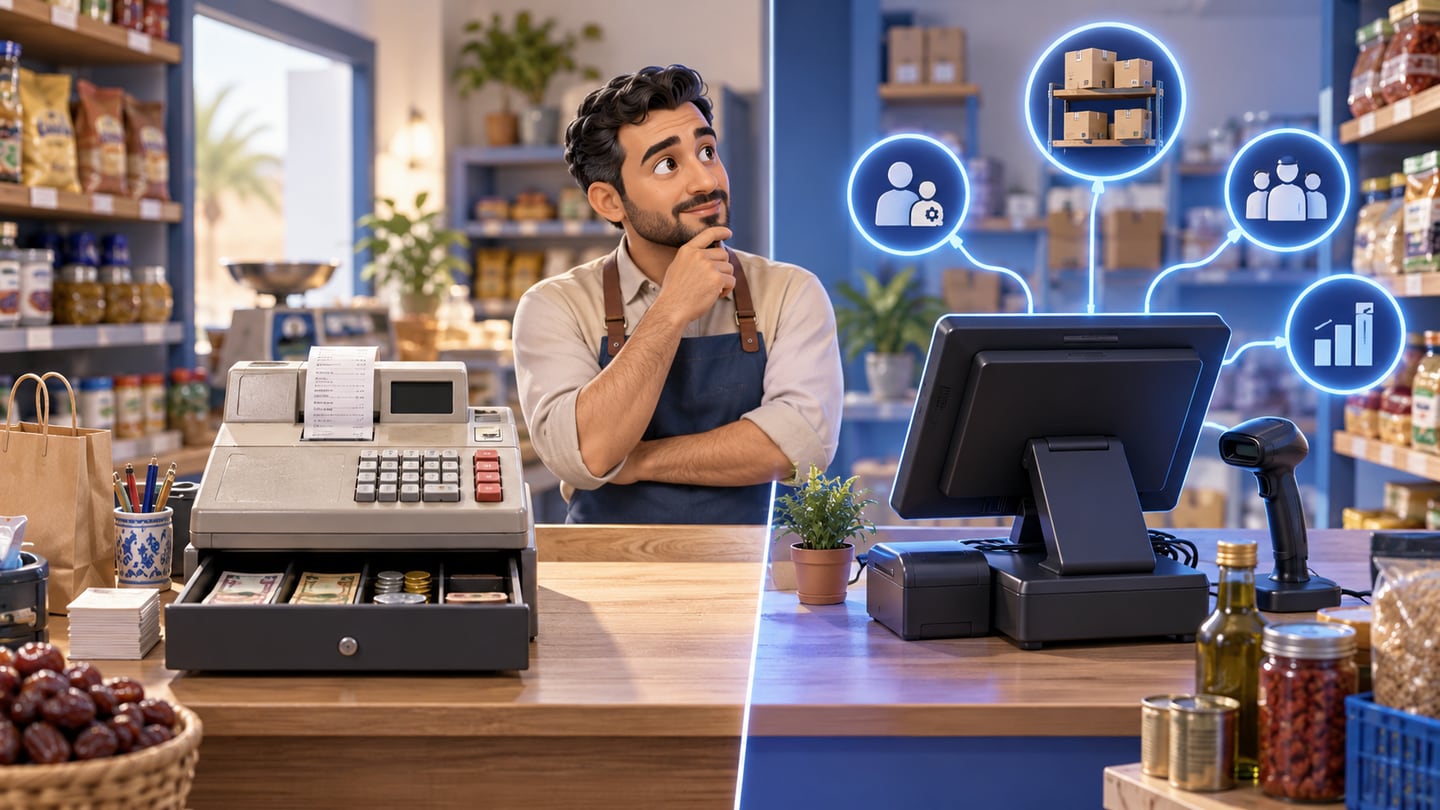
A cash register is mainly a money box and receipt workflow. A point of sale system is wider: it connects the cashier to stock, customers, permissions, purchases, and reports. This difference matters when the owner wants to know why profit changed, which product is low, or whether cash matches recorded sales.
A simple register may be enough for a tiny operation with few items and one owner. Once there are employees, barcode products, stock questions, or multiple payment methods, a connected POS usually becomes safer.
| Area | Cash register | Point of sale system |
|---|---|---|
| Sales | Records totals | Records item-level invoices |
| Inventory | Manual update | Stock reduces after sale |
| Reports | Basic cash total | Sales, items, staff, payment, stock |
| Staff control | Limited | Roles and permissions |
| Growth | Hard across branches | Easier branch and ecommerce workflows |
04
Which Iraq businesses benefit most from POS software?
Restaurants, cafés, supermarkets, pharmacies, salons, clothing shops, electronics shops, and service businesses all use POS differently. The shared need is control: fast selling, clean invoices, accurate stock, and clear reporting. The exact screen may change, but the business question remains the same: what happened today and what should we do next?
For Iraq businesses, Arabic screens and RTL workflows are important because the cashier team may prefer Arabic while the owner or manager may also review English reports. A bilingual system reduces training friction and makes daily operation easier.
05
What features should you check before choosing?
Start with the daily workflow, not the feature list. Can the cashier find products quickly? Can the system print receipts? Does stock reduce automatically? Can you see daily sales by payment method? Can staff use the system during internet interruptions? Can you limit who edits prices or discounts?
Important features include product categories, barcode search, invoices, discounts, customers, payment methods, cash register close, inventory movement, purchases, reports, roles, branches, and offline sync. If you sell online, check whether ecommerce orders share the same inventory as in-store sales.
06
Worked example: how POS updates inventory
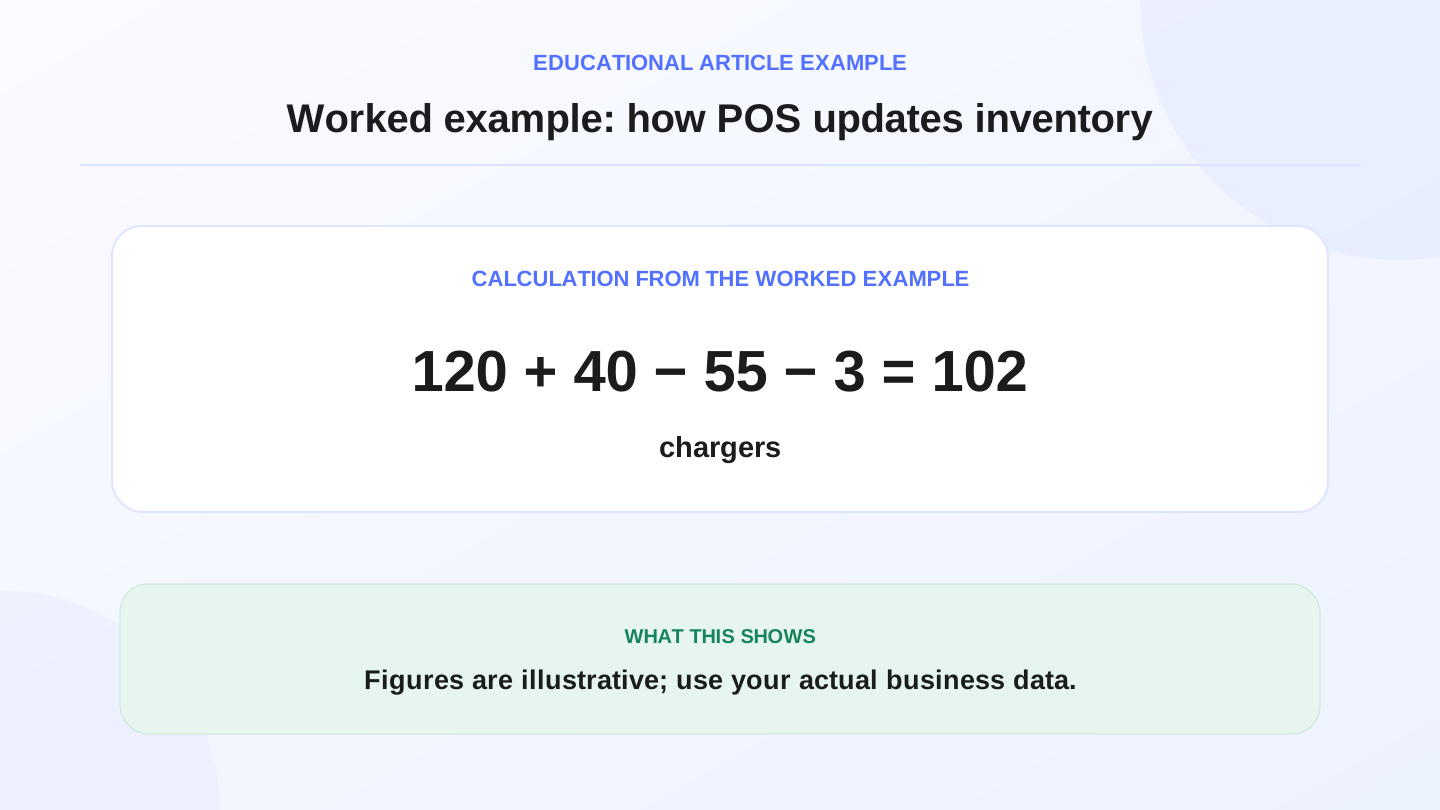
Imagine a retail shop in Baghdad starts the day with 120 phone chargers. It receives 40 more chargers from a supplier, sells 55 through POS, and finds 3 damaged units during a shelf check.
Expected closing stock = 120 opening + 40 purchase - 55 sales - 3 damaged = 102 chargers.
If the system shows 102 but the physical count is 98, the owner has a 4-unit difference to investigate. A good POS-connected inventory flow helps the owner review sales, returns, discounts, staff permissions, and manual adjustments instead of guessing.
07
Why offline-ready POS matters during internet interruptions
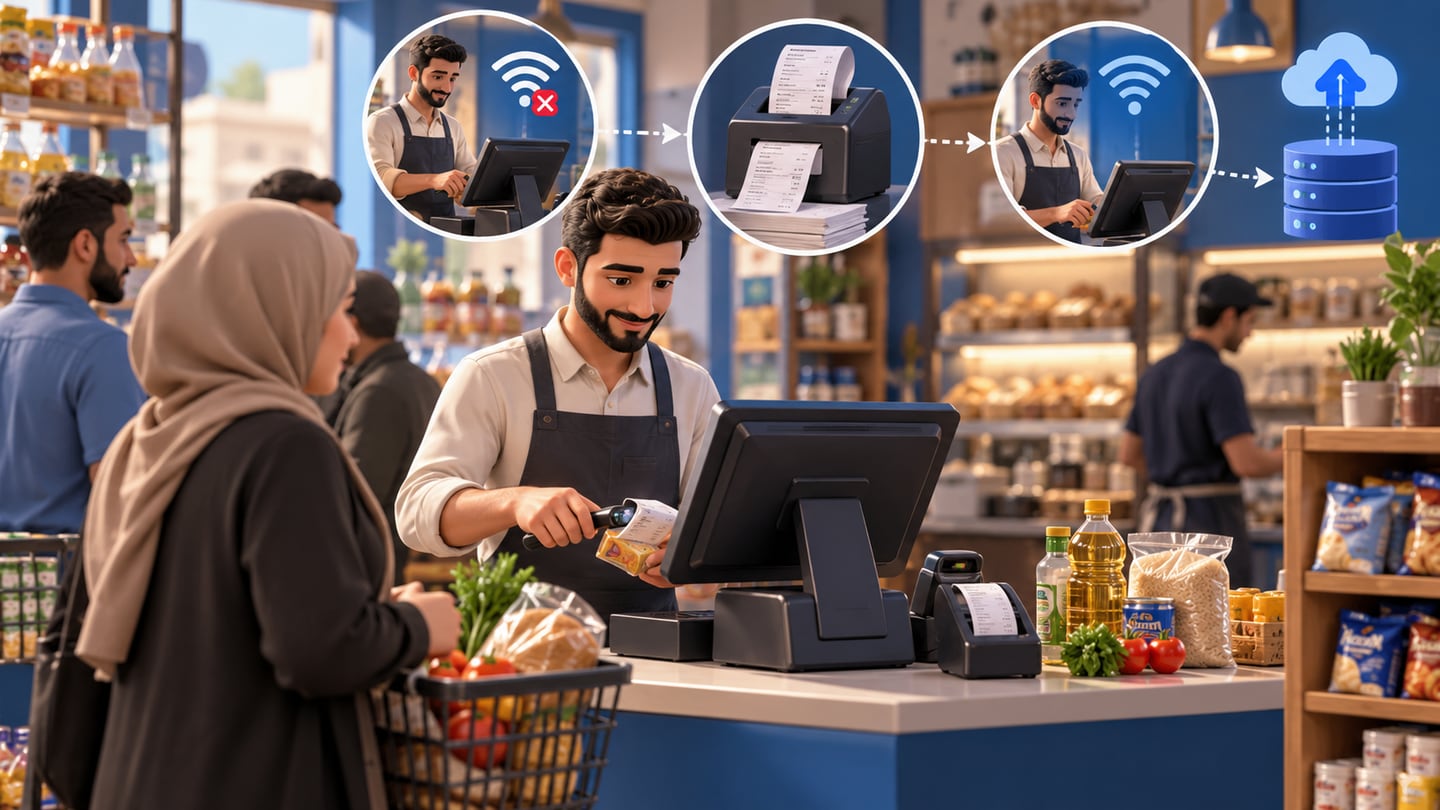
A cashier should not stop selling because the internet drops. Offline-ready POS lets the team continue adding items, taking payments, and printing receipts locally. When the connection returns, the system syncs the saved transactions.
This is especially important for restaurants during lunch, supermarkets during evening traffic, and shops during weekend rush. The cost of stopping sales is not only lost money; it also damages customer confidence and creates reconciliation work later.
08
How should POS connect to inventory and purchases?
POS is stronger when every sale becomes an inventory movement. When the team enters a supplier bill, stock increases. When the cashier sells, stock decreases. When stocktaking finds damage or missing quantity, an adjustment explains the difference.
This connection reduces double entry. It also helps purchasing decisions. If the owner can see fast-moving items, low stock, and supplier history, they can reorder based on evidence instead of memory. Review RA8M POS and industries when mapping this flow to your business type.
09
Reports an owner should read every day
A useful POS report should answer simple questions: how much did we sell, which items moved, which cashier sold, which payment methods were used, what discounts were given, and what stock needs attention? The best report is the one the owner can act on quickly.
For a small business, start with daily sales, item sales, payment summary, inventory alerts, and cash close. For a growing business, add branch reports, staff permissions, purchases, customer behavior, and online order performance.
10
When does RA8M fit, and when is a simpler setup enough?
RA8M fits businesses in Iraq that want Arabic-first and bilingual POS connected to inventory, purchases, customers, finance, reports, roles, branches, and ecommerce. RA8M is especially relevant when a shop or restaurant wants offline cashier continuity and a more organized operating record.
A simpler setup may be enough if you are a single owner with a very small number of products, no employees, no inventory questions, and no need for reports. But once you ask daily questions about stock, staff, invoices, or branches, POS software becomes a control tool rather than an extra cost.
11
Implementation checklist for the first week
Begin by cleaning product names, prices, barcodes, categories, and units. Then set staff permissions before launch: cashiers sell, supervisors approve discounts or returns, and managers adjust stock or view finance. Enter opening stock after a real count rather than from memory.
During the first week, review daily sales, cash close, low-stock items, and unexpected adjustments. Train staff on the few actions they perform every day before introducing advanced workflows. A POS rollout succeeds when the daily routine becomes easier, not when every feature is enabled at once.
12
Conclusion: choose the system that protects daily control
A point of sale system in Iraq should protect sales speed, stock accuracy, and management visibility. Do not buy only for a nice screen. Test the workflow that happens every day: add item, take payment, print receipt, update stock, close cash, and review the report.
If you need Arabic-first POS connected to inventory and growth workflows, compare RA8M POS, review pricing, and verify current plan details before buying because pricing can change.
Frequently asked questions
What is a point of sale system?
A point of sale system is software and workflow for recording sales, payments, receipts, inventory deduction, customers, and reports at the cashier or selling point.
Is POS software different from a cash register?
Yes. A cash register mainly records money, while POS software can connect sales to inventory, customers, reports, purchases, roles, and ecommerce.
Does a small shop in Iraq need POS?
A very small shop can start simple, but POS becomes useful when prices, stock, staff, invoices, discounts, or daily reports become hard to control manually.
Why does offline POS matter in Iraq?
Offline POS lets the cashier keep selling and printing receipts during internet interruptions, then sync the transactions when the connection returns.
When does RA8M fit as a POS system?
RA8M fits Iraq businesses that need Arabic-first cashier workflows connected with inventory, purchases, reports, finance, roles, branches, and ecommerce.
Written by
RA8M Team
Practical guides for restaurants, shops, and operations teams
Next step
Try RA8M with data close to your operation
Read next