ERP for Small Business in Iraq: POS, Stock and Reports
A practical guide for Iraq SMBs comparing ERP for small business: POS, inventory, purchases, finance, reports, roles, branches, and ecommerce.

ERP for small business is a connected system that helps an owner manage sales, inventory, purchases, finance, reports, roles, branches, and sometimes ecommerce from one place. In Iraq, the practical test is simple: if POS, stock, invoices, purchases, and daily reports are split across notebooks and spreadsheets, a lightweight ERP-style platform can reduce double entry and improve control.
01
ERP for Small Business in Iraq: POS, Stock and Reports
Quick answer: ERP for small business is not only a large corporate system. For many Iraq shops, restaurants, service businesses, and growing operators, it means one practical platform that connects cashier sales, inventory, purchases, invoices, payments, finance, reports, roles, branches, and ecommerce. The goal is fewer disconnected records and clearer daily control.
Many owners in Iraq do not search for ERP because they want a complicated implementation. They search because the business has outgrown separate notebooks, WhatsApp stock notes, Excel sheets, and cashier summaries that do not match purchases or cash. The right ERP-style setup should make daily work easier, not heavier.
This guide explains when an ERP for small business makes sense, which workflows to compare, how to calculate a simple operational value, and where a platform such as RA8M POS fits for Iraq businesses that need Arabic and English operations.
02
What is ERP for small business?
ERP means enterprise resource planning, but small businesses should translate the term into daily operations. A small business ERP connects the records that normally live in separate places: sales, inventory, purchase bills, vendor payments, customer invoices, expenses, cash movement, users, branches, and reports.
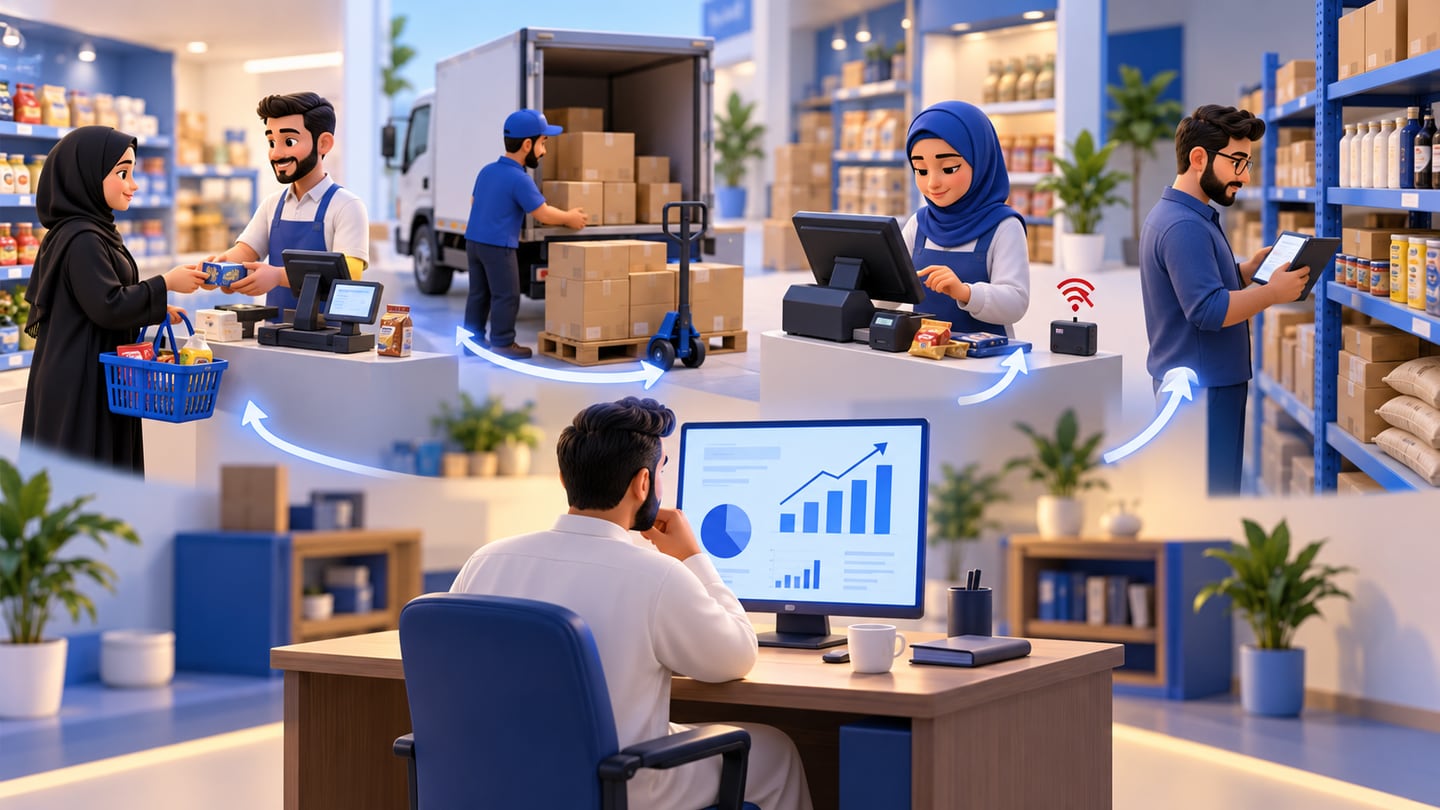
For an Iraq retailer, that may mean a barcode sale at the cashier immediately reduces stock and appears in the daily sales report. For a restaurant, it may mean POS orders reduce recipe ingredients and help the owner see which menu items are profitable. For a multi-branch business, it may mean each branch has controlled access while the owner sees consolidated numbers.
A useful ERP for small business should not force an owner to become a software administrator. It should help the team repeat the same process every day: sell, buy, count, pay, review, and decide.
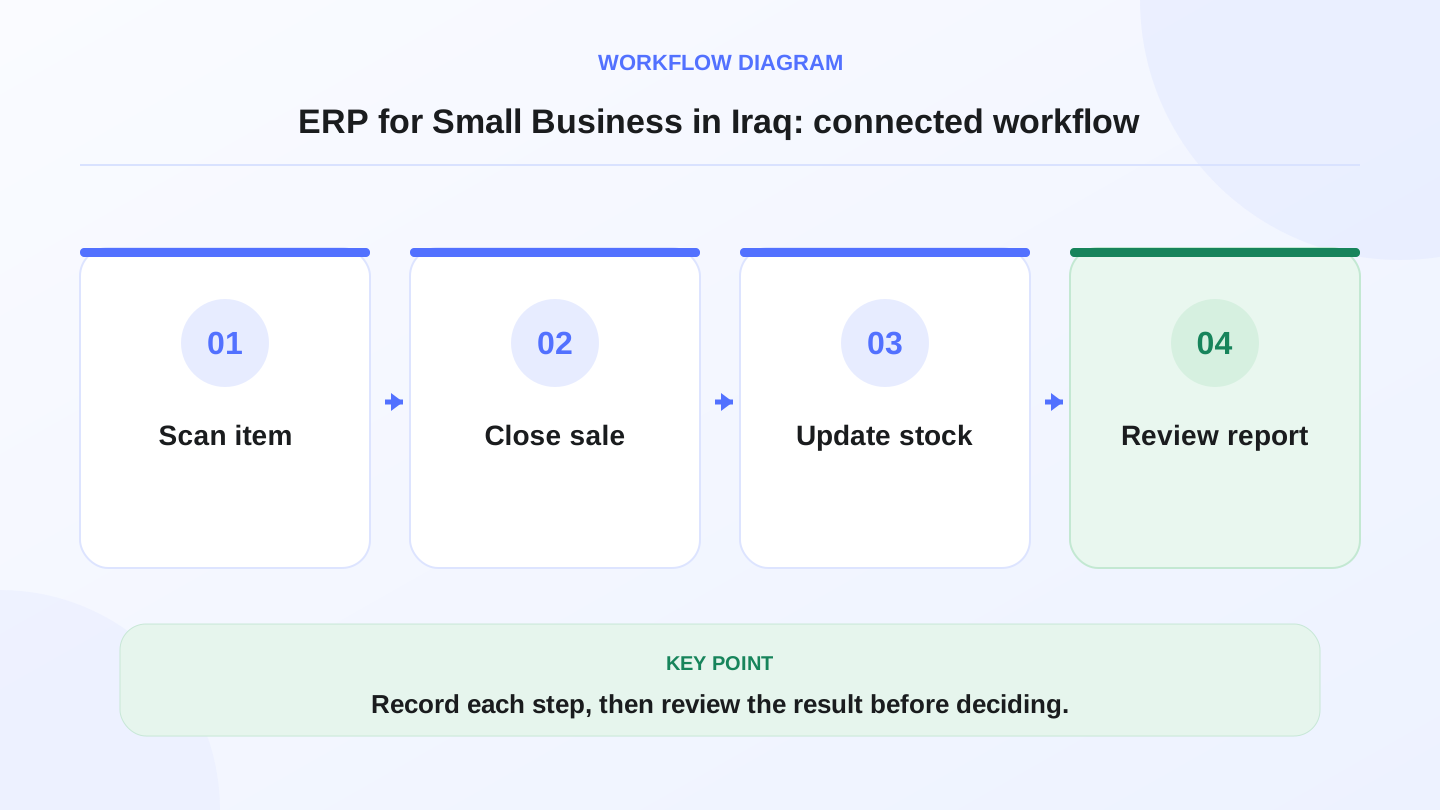
A practical sequence has four connected steps: Scan item, Close sale, Update stock, Review report. Recording each step makes the daily result easier to review.
03
When does a small business outgrow separate tools?
Separate tools are normal at the beginning. A new shop might use a simple cashier, a spreadsheet for purchases, and manual cash notes. The problem appears when those records stop agreeing with each other.
Common warning signs include stock numbers that cannot be trusted, purchases entered after a delay, staff discounts that are hard to review, branch sales sent by screenshots, and monthly reports that require hours of rebuilding. Another sign is when online orders and in-store sales sell from the same stock but are not synchronized.
If the owner spends more time reconciling data than improving operations, the business is ready for an ERP-style workflow. The goal is not to add complexity. The goal is to make one action update the related records automatically wherever possible.

04
Which workflows should an ERP connect?
A practical ERP for small business in Iraq should start with the workflows that affect money and stock every day. POS sales, returns, discounts, customers, purchases, vendor bills, expenses, payments, inventory movements, and reports should work together.
This does not mean every business needs every module on day one. It means the system should be able to grow without forcing a rebuild.
| Workflow | If disconnected | If connected in one system |
|---|---|---|
| POS sales | Cashier total must be copied manually | Sales appear in reports and affect stock |
| Inventory | Stock count lives in a separate sheet | Sales, purchases, transfers, and adjustments update stock |
| Purchases | Vendor bills are hard to connect to stock | Purchase bills increase stock and support cost review |
| Finance | Cash and expenses are reconstructed later | Payments, expenses, and reports are easier to review |
| Branches | Each branch sends separate summaries | Owner can compare branches with roles and visibility |
| Ecommerce | Online orders compete with shelf stock | Storefront orders can reduce connected inventory |
05
How should Iraq businesses compare ERP options?
Do not compare ERP for small business by feature lists only. Compare the daily path of a real transaction. Ask what happens when a customer buys, when a supplier delivers, when a cashier works offline, when a manager checks stock, and when the owner reviews profit direction.
For Iraq, language and operating reality matter. Arabic-first screens, RTL workflows, English support for mixed teams, IQD examples, branch permissions, and offline-ready cashier workflows can be more important than advanced features nobody uses.
A good comparison checklist includes: cashier speed, barcode support, inventory accuracy, purchase bills, finance visibility, reports, role permissions, branch controls, ecommerce connection, data export, support, training, and how the system behaves during internet interruptions.
06
Worked example: calculate the value of cleaner stock control
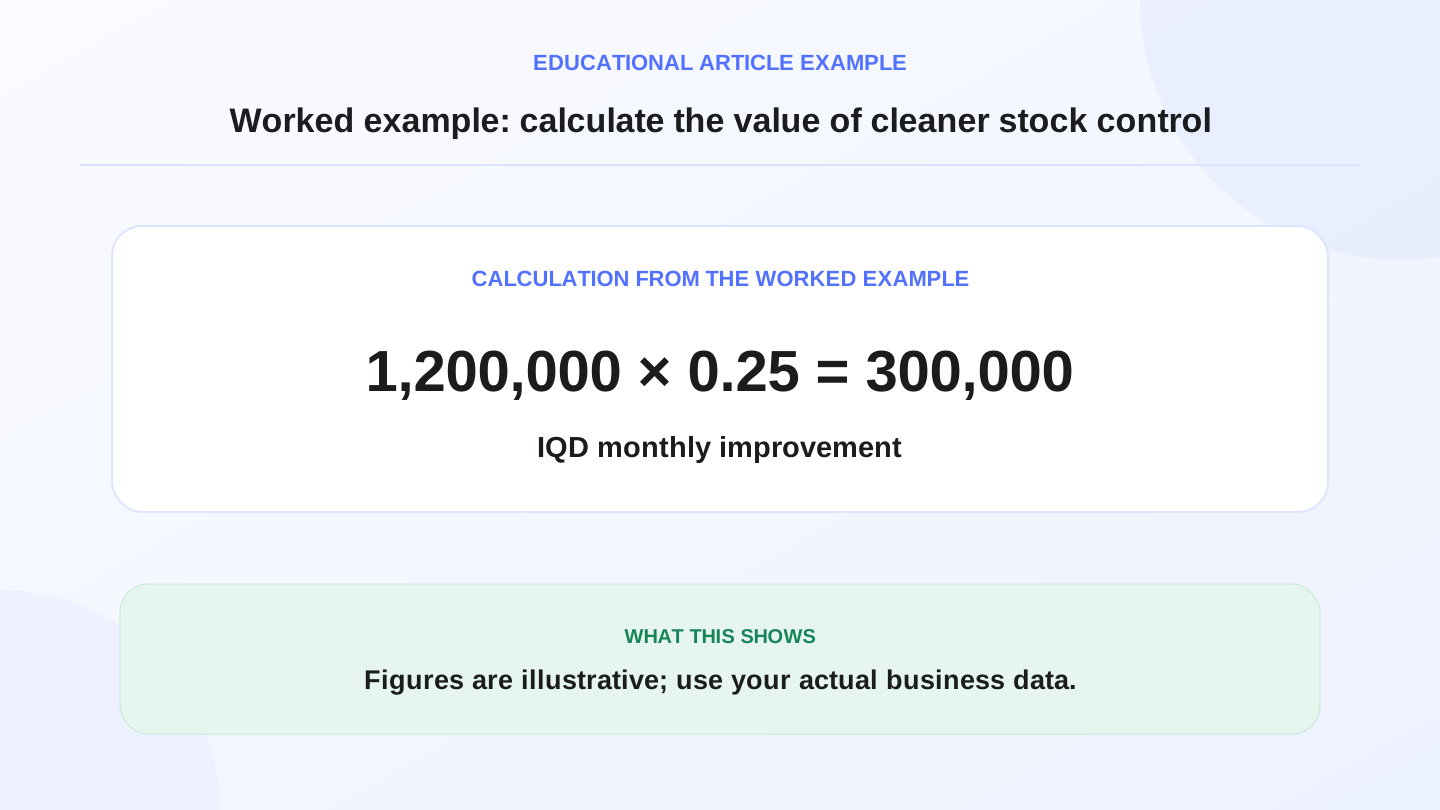
Use simple numbers before buying software. Suppose a mini-market has 1,200,000 IQD of average monthly stock mistakes from over-ordering, missing items, and unrecorded shrinkage. After connecting POS sales, purchases, and stock counts, the owner reduces mistakes by 25%.
The estimated monthly improvement is:
1,200,000 IQD × 25% = 300,000 IQD.
If the software and operating effort cost 150,000 IQD per month, the rough net operational gain is:
300,000 IQD − 150,000 IQD = 150,000 IQD per month.
These numbers are illustrative, not a guaranteed result. The point is to compare the system with the operational problem it solves, not only with a subscription price. Always verify current pricing on the RA8M pricing page before making a purchase decision.
07
Where does RA8M fit as an ERP-style system?
RA8M is not positioned as a heavy enterprise ERP for large corporations. It is better understood as an Arabic-first POS and ecommerce platform with connected business-management modules for Iraq SMBs. It connects POS, inventory, purchases, customers, invoices, finance, reports, roles, branches, and ecommerce.
That makes RA8M useful for businesses that want ERP-style control without starting from a complex corporate implementation. A restaurant can connect cashier orders with inventory and reports. A retail shop can connect barcode sales with stock and customers. A multi-branch operator can use roles and branch visibility. An ecommerce seller can connect an online storefront with POS products and inventory through RA8M Ecommerce.
RA8M is especially relevant when Arabic cashier workflows, offline-ready selling, and Iraq-focused operations are part of the buying decision.
08
When is a simpler setup enough?
A simpler setup may be enough when the business has one seller, a small product list, low order volume, no branches, and limited purchases. In that case, a basic POS with inventory may solve the immediate problem.
ERP-style workflows become more valuable when the owner needs to connect multiple people, sales channels, stock movements, purchases, reports, and permissions. The transition should be gradual. Start with POS and inventory, then add purchases, finance review, roles, branches, and ecommerce when the team is ready.
Avoid buying a system only because it uses the word ERP. Buy the workflow that removes the most operational friction now and can expand later.
09
Implementation checklist for the first 30 days
Start with clean product data: names, categories, barcodes, prices, cost references, and stock quantities. Then define users and roles so cashiers, managers, and owners see the right information. Next, configure payment methods, discounts, receipts, and basic reports.
In week two, enter purchases and vendor bills consistently. In week three, run a stock count and compare expected stock with actual stock. In week four, review sales, best-selling items, low stock, expenses, and branch or staff performance if relevant.
The first month is not about perfection. It is about creating one repeatable operating rhythm. Once the rhythm works, the business can add ecommerce, deeper finance review, or branch processes.
10
Final decision framework
Choose ERP for small business when the cost of disconnected work is higher than the cost of discipline. If the team loses time reconciling sales, purchases, stock, invoices, and reports, a connected system can help the owner make decisions faster.
For Iraq SMBs, prioritize Arabic and English usability, offline POS, inventory and purchase connection, finance visibility, reports, roles, branches, and ecommerce readiness. If those are the pain points, RA8M is worth evaluating as a practical connected platform rather than a heavy ERP project.
Frequently asked questions
What does ERP for small business mean?
It means a connected business system that brings core workflows such as POS, inventory, purchases, invoices, finance, reports, users, and branches into one operating platform.
Does every small business in Iraq need ERP?
No. A very small business may start with POS and stock control only. ERP-style workflows become useful when sales, purchases, inventory, finance, and branches need to stay connected.
Can RA8M work like a lightweight ERP for SMBs?
RA8M can support many lightweight ERP-style workflows because it connects POS, inventory, purchases, finance, reports, roles, branches, and ecommerce for Iraq businesses.
Should ERP replace an accountant?
No. ERP organizes operational and financial records, but formal accounting, tax, or legal decisions should be checked with a qualified professional.
What is the first ERP workflow to set up?
Start with the daily money trail: POS sales, payment methods, inventory deduction, purchase bills, expenses, and owner reports.
Written by
RA8M Team
Practical guides for restaurants, shops, and operations teams
Next step
Try RA8M with data close to your operation
Read next