Arabic Accounting Software in Iraq: Practical Buyer Guide
A practical guide to Arabic accounting software for Iraq businesses: POS sales, invoices, purchases, IQD records, roles, reports, and daily checks.

Arabic accounting software helps Iraq businesses record sales, invoices, purchases, expenses, payments, inventory value, and reports in Arabic RTL workflows. The best setup for shops, restaurants, and SMBs connects POS activity to finance records, supports IQD, controls user roles, and gives owners daily numbers without rebuilding reports manually.
01
Arabic Accounting Software in Iraq: Practical Buyer Guide
Arabic accounting software should make daily business numbers easier to record, review, and trust. For Iraq businesses, that usually means Arabic RTL workflows, IQD-friendly records, connected POS sales, invoices, purchases, expenses, payments, stock movement, roles, and reports.
Quick answer: Arabic accounting software helps Iraq businesses record sales, invoices, purchases, expenses, payments, inventory value, and reports in Arabic RTL workflows. The best setup for shops, restaurants, and SMBs connects POS activity to finance records, supports IQD, controls user roles, and gives owners daily numbers without rebuilding reports manually.
02
What problem should Arabic accounting software solve first?
The first problem is not advanced accounting theory. The first problem is daily trust. A restaurant owner wants to know whether cashier sales, cash drawer totals, delivery payments, supplier purchases, and stock changes agree. A retail shop wants to know if discounts, returns, invoices, and inventory movements are visible without asking every employee.
If finance records live in a notebook, POS reports live in another system, and purchase bills stay in supplier chats, the owner does not have one source of truth. Arabic accounting software should bring the daily money trail into a workflow the team can repeat.
The system should answer simple questions clearly: What did we sell? What did we collect? What did we buy? What did stock do? Which branch or employee created the transaction? Which report should the owner review today?
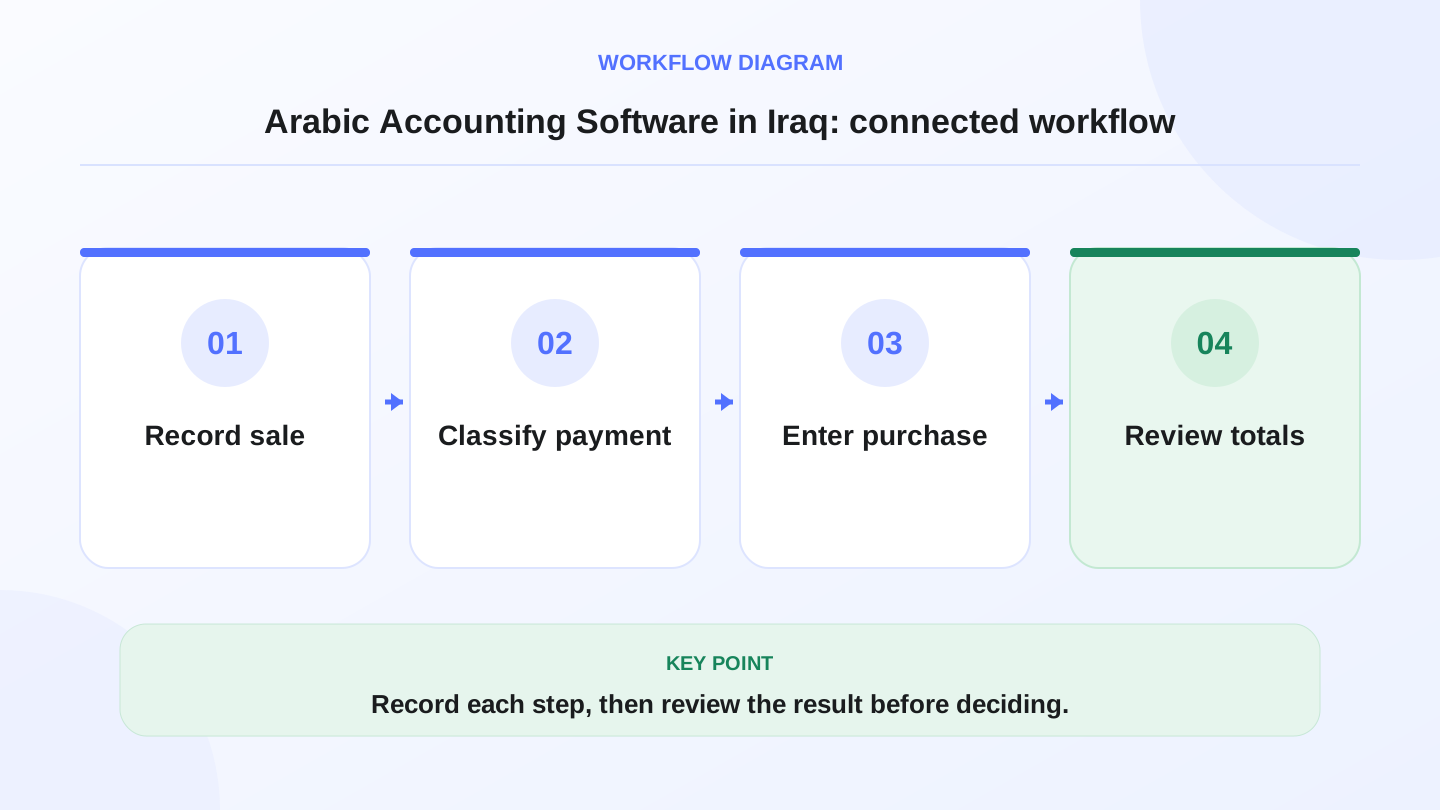
A practical sequence has four connected steps: Record sale, Classify payment, Enter purchase, Review totals. Recording each step makes the daily result easier to review.
03
Which features matter for Iraq businesses?
Arabic support is important, but it is only one feature. Good software must connect language, cashier speed, inventory accuracy, finance visibility, and control. Iraq businesses often work with Arabic-speaking cashiers, English-speaking managers, IQD prices, internet interruptions, and mixed payment methods.
RA8M connects POS, inventory, purchases, finance, reports, roles, branches, and ecommerce in one Arabic-first system for Iraq businesses.
| Need | What to check | Why it matters |
|---|---|---|
| Arabic RTL | Arabic screens, item names, invoices, and reports | Staff can use the system without translation friction |
| IQD records | Prices, payments, expenses, and reports in Iraqi dinar | Daily totals match how the business operates |
| POS connection | Cashier sales flow into reports | Reduces manual entry and missed sales |
| Purchases | Supplier bills increase stock and cost records | Owners see what was bought and received |
| Inventory value | Sales and purchases affect stock visibility | Finance and stock are connected |
| Roles | Cashier, manager, branch, and owner access | Sensitive finance data stays controlled |
| Reports | Sales, expenses, items, customers, and branches | Decisions come from records, not guesswork |
| Offline-ready POS | Cashier can keep selling during internet drops | Operations continue and sync later |
04
Why POS and accounting should not be separate
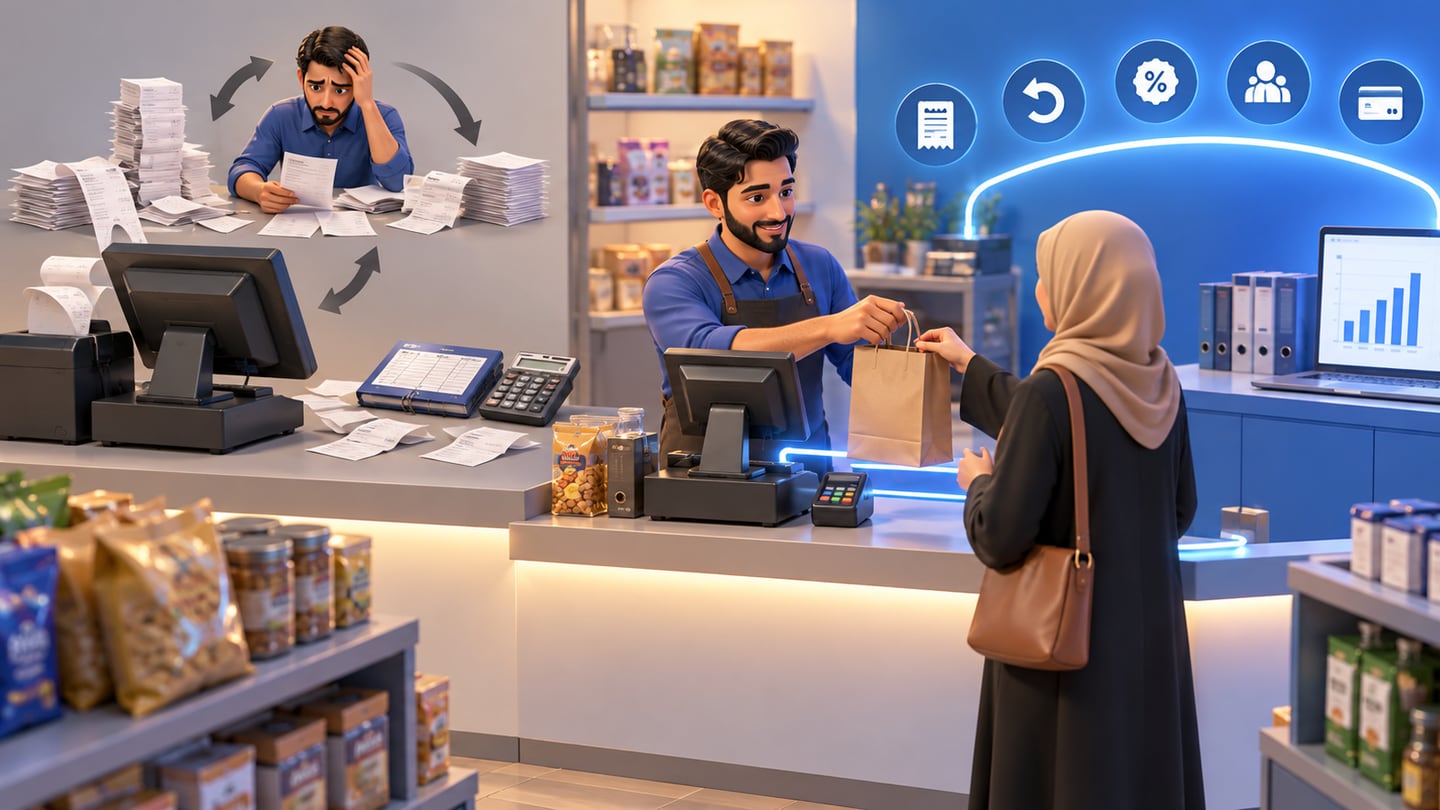
For a business that sells every day, accounting begins at the cashier. Every sale, refund, discount, receipt, customer payment, and unpaid order is part of the money trail. If POS and accounting are separate, someone has to copy numbers from one place to another. That creates delay and errors.
Connected POS and accounting software records the sale once, then lets related reports use the same source. The cashier completes the transaction. Inventory changes. Payment method is captured. The owner can later review revenue, cash, items sold, and branch performance.
This is especially useful for restaurants, cafés, retail shops, pharmacies, supermarkets, and salons in Iraq. These businesses do not only need invoices. They need fast selling, stock control, purchases, customer records, and finance reports together.
05
Worked example: daily sales, payments, and purchases
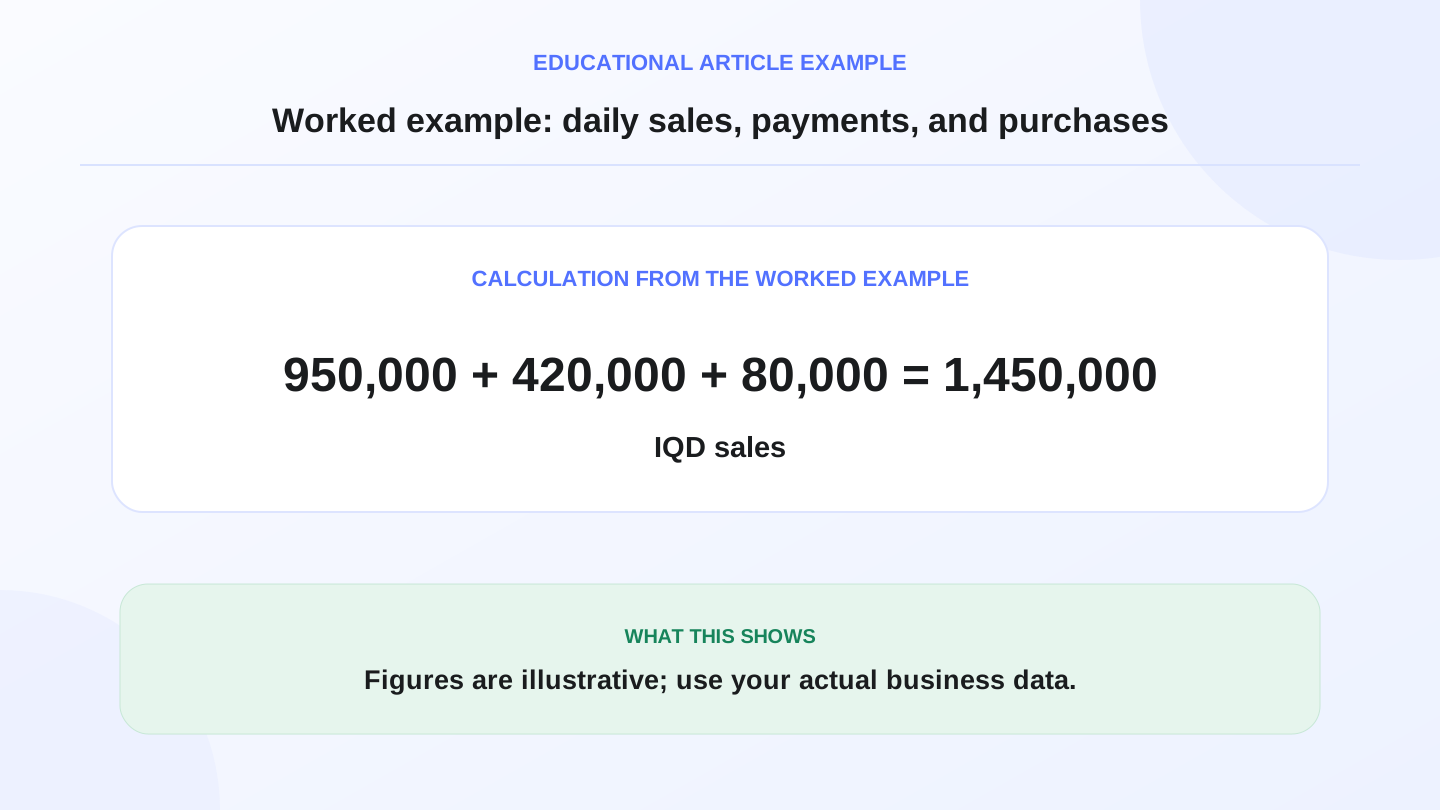
Assume a mini-market in Baghdad starts the day with 2,000,000 IQD in opening stock value. During the day, POS sales total 1,450,000 IQD. Cash payments are 950,000 IQD, card or wallet payments are 420,000 IQD, and unpaid customer account sales are 80,000 IQD.
The payment check is:
950,000 cash + 420,000 electronic payments + 80,000 unpaid = 1,450,000 IQD total sales.
Now add purchases. The owner receives supplier goods worth 600,000 IQD. If sold stock cost for the day is estimated at 870,000 IQD, the illustrative closing stock value is:
2,000,000 opening stock + 600,000 purchases - 870,000 sold stock cost = 1,730,000 IQD expected closing stock value.
These numbers are illustrative, not accounting or tax advice. The point is workflow: sales, payments, purchases, and inventory should be reviewed together instead of rebuilt manually.
06
Arabic-first does not mean English is unnecessary
Many Iraq businesses operate mainly in Arabic, but still need English in some places. Owners may review English reports, partners may prefer English labels, and accountants may use mixed Arabic and English terms. A bilingual system gives the business flexibility without forcing the cashier team into English-only screens.
Arabic-first software should support Arabic item names, RTL navigation, Arabic invoices or receipts where needed, and clear workflows for cashiers and stock employees. English support should be available for managers or team members who need it.
RA8M is Arabic-first and bilingual. That matters because adoption depends on the people using the system every day, not only on the owner who buys it.
07
Cloud accounting vs offline-ready cashier workflows
Cloud software helps owners access records from different devices and locations. But cashier work has a different risk: if the internet drops, the business still needs to sell. In Iraq, internet interruptions are common enough that POS continuity should be part of the buying checklist.
A strong setup can use cloud access for management while keeping the cashier offline-ready. Sales can continue, receipts can be printed, and data can sync when the connection returns. RA8M POS is described as offline-ready, which makes it a better fit for daily selling than a finance-only cloud tool that depends on a constant connection.

08
What reports should the owner review?
Reports are useful only if they connect to real operations. A beautiful dashboard is not enough if the numbers behind it are incomplete. Start with a short daily and weekly report routine.
Daily, review total sales, payment methods, cash drawer totals, refunds, discounts, best-selling items, low stock, and unpaid invoices. Weekly, review purchases, expenses, gross margin signals, branch comparison, employee activity, and customer trends.
For multi-branch businesses, branch-level reports are essential. The owner should be able to see each branch separately and consolidated performance together. Roles should prevent one branch employee from viewing or editing unrelated sensitive data.
09
When RA8M fits, and when a simpler setup is enough
RA8M fits when the business wants POS, inventory, purchases, finance, reports, roles, branches, and ecommerce connected. It is especially relevant for Iraq restaurants, cafés, retail shops, supermarkets, pharmacies, salons, service businesses, and SMBs that need Arabic-first workflows with English support.
A simpler spreadsheet may be enough when the owner has very few sales, no staff, no stock complexity, no branches, and no supplier purchase tracking. But once the business adds cashiers, products, payment methods, discounts, purchases, or branch reporting, a connected system becomes safer.
Before buying, compare the live pricing. Public pricing can change, so always verify current plan details on the pricing page.
10
Implementation checklist for the first 30 days
Do not migrate chaos into a new system. Start with clean setup. Add products, categories, opening stock, suppliers, payment methods, user roles, branches, and invoice settings carefully. Decide who can create sales, approve discounts, edit purchases, adjust stock, and view reports.
For the first month, compare recorded sales with actual cash daily. Compare supplier bills with stock increases. Check low-stock items and unexpected stock differences. Review reports weekly with the manager or accountant. The goal is not to automate everything immediately; the goal is to create a repeatable routine.
If you already use ecommerce, connect online orders to the same product and stock records where possible. RA8M Ecommerce can add a branded online storefront connected to POS products and inventory, which helps avoid separate online and in-store stock counts.
For برنامج محاسبة مجاني searches that start with Excel or freemium apps, see free accounting software in Iraq before you choose a paid Arabic ledger—so you know what free tiers skip on RTL reports and POS linkage.
11
Conclusion: choose accounting software around daily control
Arabic accounting software in Iraq should make daily control easier: sell, invoice, buy, pay, update stock, and review reports from one trusted workflow. Language matters, but connection matters just as much. Review RA8M POS, industries, ecommerce, and pricing to decide whether a connected Arabic-first system fits your operation.
Frequently asked questions
What is Arabic accounting software?
Arabic accounting software records sales, invoices, purchases, expenses, payments, and reports in Arabic-friendly workflows, often with RTL screens and local currency support.
Should accounting software connect to POS in Iraq?
Yes for shops, restaurants, supermarkets, and pharmacies that sell daily. POS connection reduces double entry because sales, payments, and stock movements feed the finance records.
Is Arabic-only accounting software enough?
It may be enough for a small Arabic-only team, but bilingual Arabic and English support is stronger when owners, managers, partners, or accountants prefer different languages.
Can RA8M replace an accountant?
No. RA8M helps organize operational finance records and reports, but formal accounting, tax, or legal decisions should be reviewed with a qualified professional or authority.
When is a spreadsheet enough?
A spreadsheet may be enough for a very small owner-operated business with few transactions, but it becomes risky when stock, staff, purchases, branches, or payment methods increase.
Written by
RA8M Team
Practical guides for restaurants, shops, and operations teams
Next step
Try RA8M with data close to your operation
Read next
Related RA8M guides
Accounting and Invoicing
Accounting Software for Small Business in Iraq
Read article
Accounting and Invoicing
Purchase Management Software in Iraq: Stock, Bills and Reports
Read article
Accounting and Invoicing
Sales and Purchase Management Software in Iraq
Read article
Accounting and Reports
Sales Reports in Iraq: How to Read POS and Cashier Numbers
Read article
POS and Cashier
Billing Software in Iraq: POS Invoices, Payments and Reports
Read article