Invoicing Software in Iraq: Connect Sales, Stock and Reports
A practical guide to choosing invoicing software that connects cashier sales, inventory, payments, customers, and daily reports for Iraq businesses.
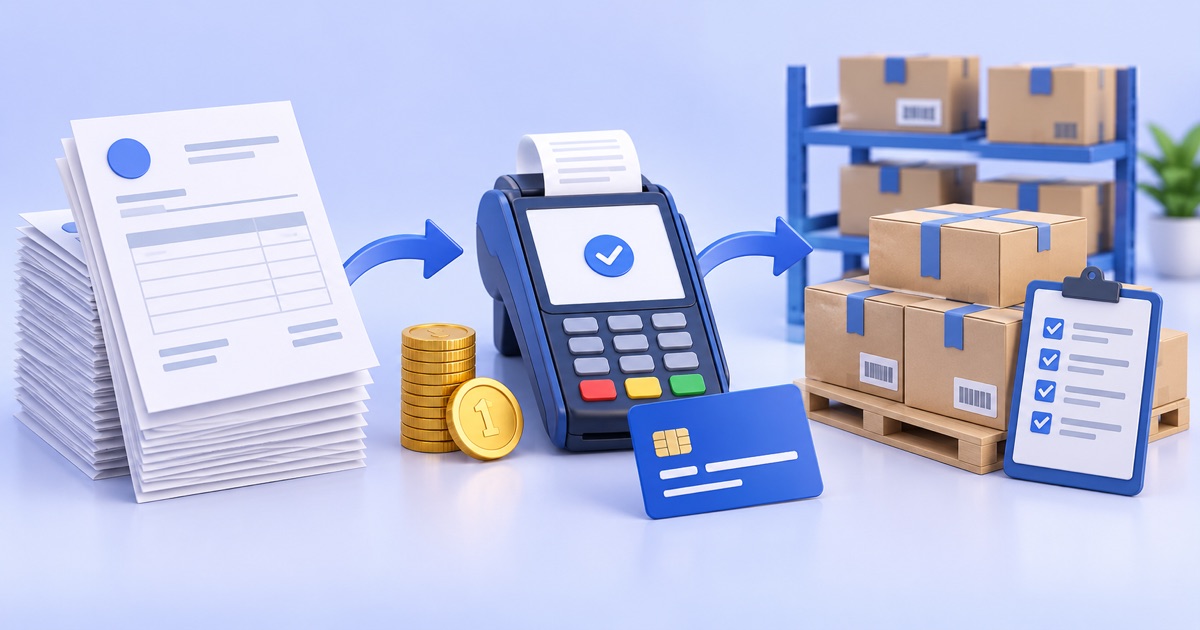
Invoicing software for Iraq businesses should do more than print a receipt. It should connect each invoice to the sale, payment method, customer, inventory movement, and daily reporting. When invoices are connected to POS and stock, owners can see what sold, what remains, and what needs review without separate notebooks or spreadsheets.
01
Invoicing Software in Iraq: Connect Sales, Stock and Reports
Good invoicing software in Iraq should turn every sale into a clear record the owner can review later. An invoice is not only a printed paper or PDF; it is the connection point between the cashier, inventory, customer, payment method, and daily reports.
Quick answer: Invoicing software for Iraq businesses should do more than print a receipt. It should connect each invoice to the sale, payment method, customer, inventory movement, and daily reporting. When invoices are connected to POS and stock, owners can see what sold, what remains, and what needs review without separate notebooks or spreadsheets.
02
Why does a shop need connected invoicing software?
Many shops start with paper invoices, a receipt printer, or a simple spreadsheet. That may work during the first days, but it becomes difficult when the product list grows, more staff join the cashier, payment methods multiply, or orders arrive from more than one channel. The problem is not only issuing the invoice. The real problem is knowing what happened after the invoice was issued.
If an employee sells a product but stock does not update, the owner must count manually more often. If a cash or card payment is not linked clearly to the invoice, shift closing becomes harder. If invoices are separate from reporting, managers cannot easily see which products sell most, which returns are increasing, or where mistakes appear.
RA8M, also written Raqm or رقم, is built around this connected workflow: cashier sales, stock, purchases, customers, payments, and reports should live in one operating path whenever possible.
03
What is the difference between invoicing software and POS software?
POS software focuses on checkout speed. The cashier chooses products, applies a discount, selects the payment method, records the customer when needed, and prints or saves a receipt. Invoicing software focuses on the structured sale document: invoice number, customer, line items, amounts, paid value, remaining value, and transaction date.
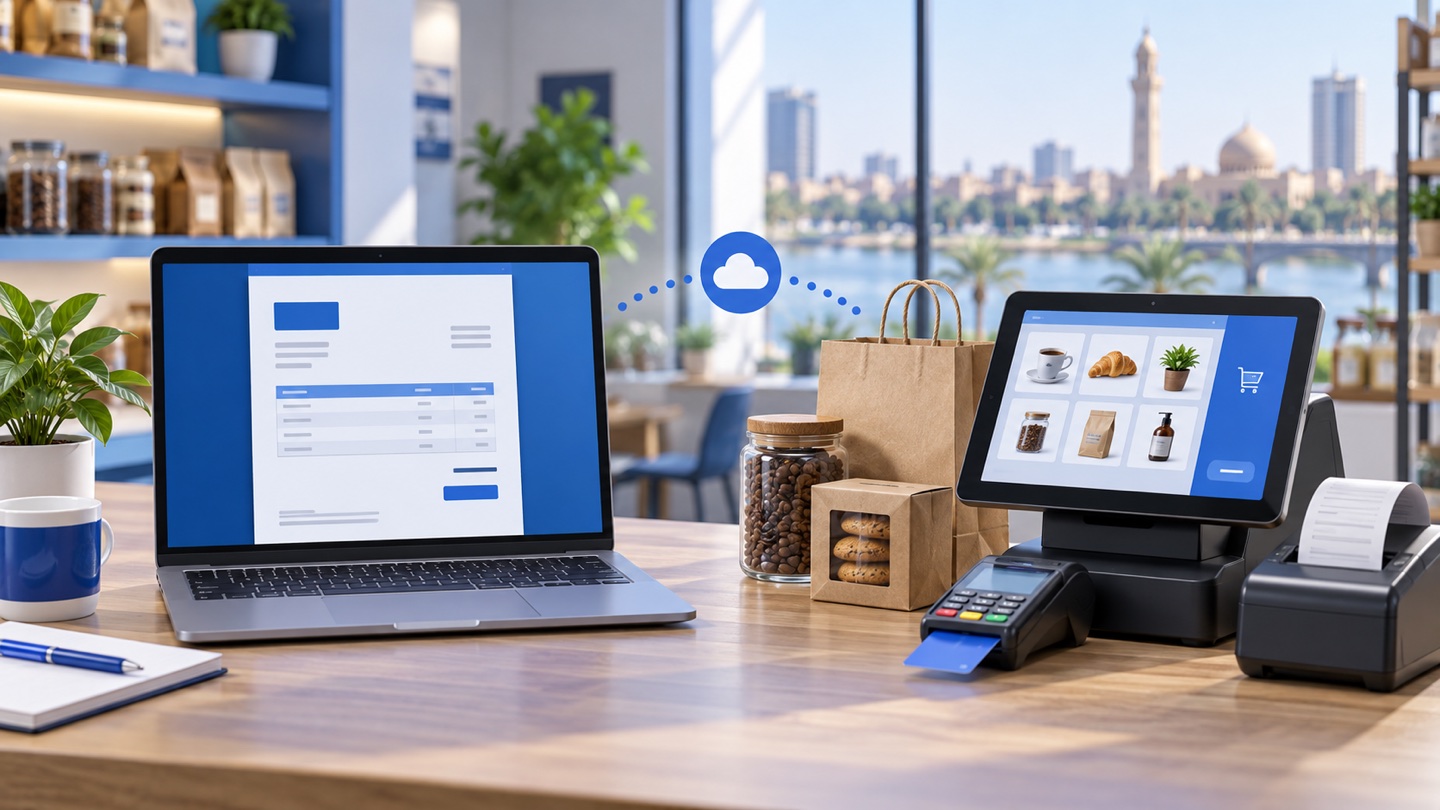
Small businesses often ask whether one tool is enough. In practice, the best setup connects both jobs. The cashier should not enter a sale in one place and then rebuild the invoice somewhere else. Double entry wastes time and creates mismatches between the sales total, stock count, and customer record.
04
What core features should invoicing software include?
Start with features that affect daily work, not with impressive screens that the team will never use. Invoicing software should support products, quantities, discounts, fees or tax fields when required, payment methods, customer information, notes, and a clear invoice number.
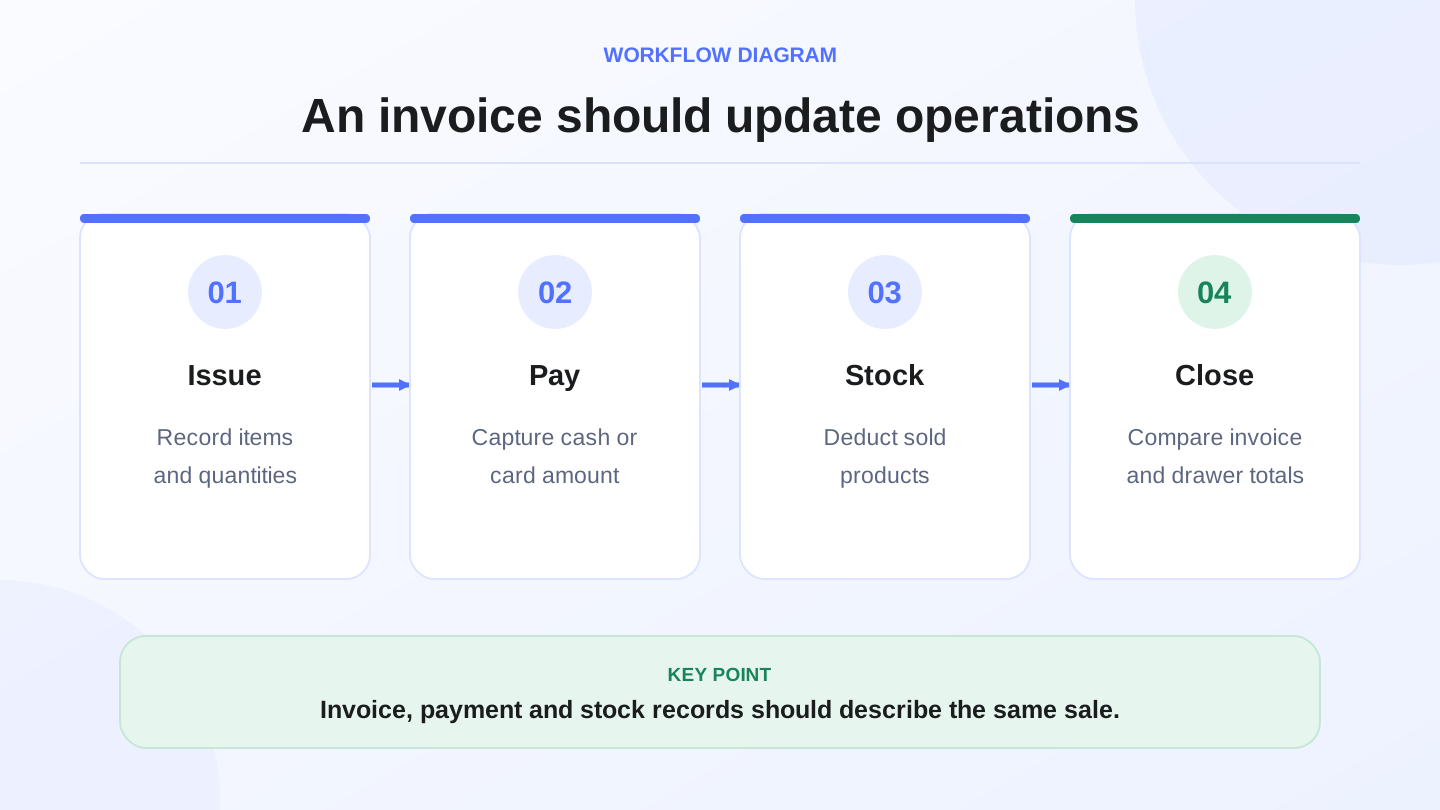
Then check the inventory connection. Does stock decrease after the invoice? Are returns reflected? Can the owner see unpaid or partially paid invoices? Can the manager pull an end-of-day report without collecting paper receipts from the counter?
| Feature | Why it matters | Test question |
|---|---|---|
| Organized invoice number | Prevents duplicate or lost records | Can every invoice be found quickly? |
| Inventory connection | Reduces selling beyond available stock | Does quantity decrease after each sale? |
| Payment methods | Makes cashier closing cleaner | Does the report separate cash and card? |
| Customers | Helps with credit sales or follow-up | Can you see one customer invoice history? |
| Reports | Turns invoices into decisions | Can you see daily total and top products? |
05
How does stock integration change invoice quality?
The invoice is the moment a product leaves the business. If it is not connected to inventory, stock control becomes a separate manual process. A product may be sold while the system quantity stays unchanged, or a returned item may never come back into stock.
In a clothing shop, the invoice should distinguish size and color. In a supermarket, it should support barcode speed and high-volume checkout. In a restaurant or cafe, invoices may affect ingredients or recipes if the system supports that workflow. This is why invoicing software should be judged by operational fit, not only by how clean the invoice looks.
For Iraq businesses, offline-ready selling also matters. Internet interruptions should not stop the cashier from selling, recording the invoice, and syncing later when the connection returns.
06
Worked example: closing one sales day with invoices
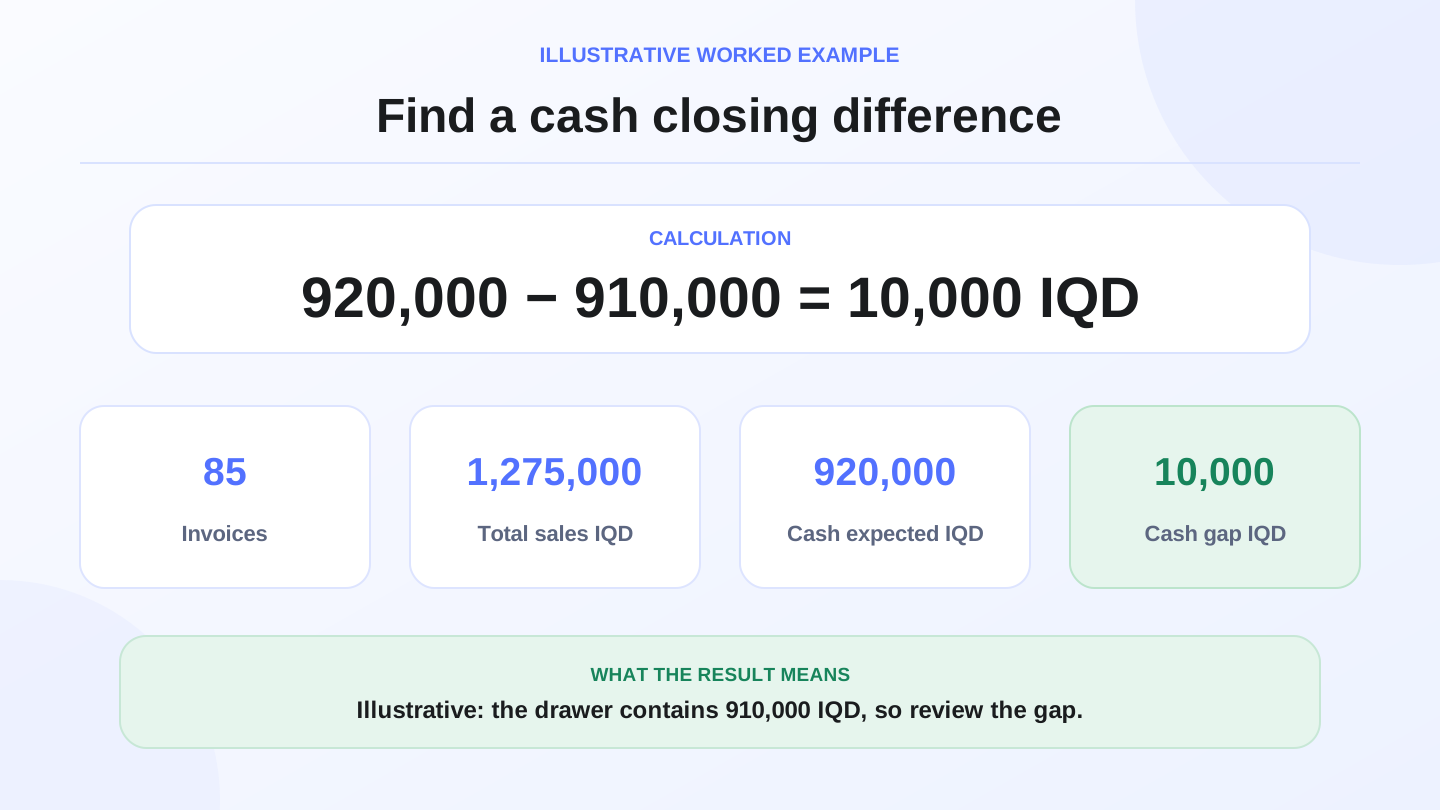
Assume a mini-market in Baghdad issued 85 invoices during the day. The recorded sales total is 1,275,000 IQD. Of that, 920,000 IQD is cash and 355,000 IQD is card or transfer.
At closing, the cash drawer contains 910,000 IQD. Cash variance = 920,000 - 910,000 = 10,000 IQD. The owner can now review cash invoices, returns, discounts, or manual adjustments instead of searching every transaction.
For inventory, assume product A started the day with 40 units. The shop received 20 units from purchases and sold 17 units based on invoices. Expected closing stock = 40 + 20 - 17 = 43 units. If the physical count finds 41 units, the variance is 2 units and needs review.
Math example: These figures are illustrative for workflow explanation. They are not accounting or tax advice. For formal accounting, tax, or legal decisions, verify with a qualified professional or the relevant authority.
07
What about electronic invoices and tax topics?
Software can organize records, but it does not automatically make a business legally or tax compliant. In Iraq, formal accounting, tax, and legal requirements should be checked with a qualified accountant, lawyer, or authority. The role of invoicing software is to reduce operational disorder and create records that can be reviewed.
If your business needs a specific invoice format, serial numbering, customer details, or reporting exports, test those requirements before choosing the system. Do not assume every invoicing tool supports every formal requirement.
08
How should you test invoicing software before buying?
Use real operating scenarios, not only demo data. Add 20 products, two customers, two payment methods, one discount, and one cashier user. Run a normal sale, a discounted invoice, a return, and an offline sale if internet interruptions affect your team.
After that, review the report. Did sales totals match invoices? Did stock change? Can you search by invoice number or customer? Can the owner understand the day without asking the cashier to explain every line? If the answer is no, the software may create more work than it saves.
A practical test also includes receipt language. Iraq teams may need Arabic RTL screens, Arabic receipts, and English support for managers or partners. Bilingual workflow is not cosmetic when staff depend on it every day.
09
When does RA8M fit this workflow?
RA8M fits when the business wants POS, inventory, purchases, finance, reports, roles, branches, and ecommerce in one connected platform. It is especially relevant for restaurants, cafes, retail shops, supermarkets, pharmacies, salons, service businesses, and multi-branch operators in Iraq.
For a shop that only needs to print a few invoices and does not track stock, a simpler setup may be enough. But once the business has employees, discounts, returns, credit customers, branches, ecommerce orders, or stock movement, connected invoicing becomes more valuable.
10
Decision checklist before choosing
Ask these questions before selecting invoicing software:
1. Do we need printing only, or sales management?
2. Should each invoice update inventory?
3. Do we track customers, credit, or partial payments?
4. Do we need cash, card, transfer, or cash-on-delivery visibility?
5. Can the cashier keep selling when the internet drops?
6. Can the owner see useful daily reports?
7. Does the team need Arabic, English, or both?
8. Will ecommerce or branch workflows matter within the next year?
If the answer is yes to several of these, choose a connected POS and invoicing workflow instead of a separate invoice tool.
11
Conclusion
Good invoicing software should not add a new administrative burden. It should make every invoice part of the sales, inventory, payment, and reporting workflow. Test it with real sales, check how it affects stock, and verify current pricing before buying. You can start with RA8M POS or review current pricing, because plans and prices may change.
12
FAQs
What is the best invoicing software for a shop?
The best option connects invoices with sales, inventory, payments and reports, and matches the team language and daily workflow in Iraq.
Is invoicing software different from POS software?
Yes, but they should be connected. POS handles fast checkout, while invoicing organizes the sale document, customer, payments and records.
Do I need full accounting software or invoicing only?
A simple business may only need invoices, sales and basic reports, while purchases, expenses, accounts and branches need a broader system.
Can invoices be issued when the internet drops?
If the cashier system is offline-ready, such as RA8M POS, staff can keep selling and sync the data when the connection returns.
What should I test before choosing invoicing software?
Test a normal sale, discount, return, payment method, customer, end-of-day report, and the impact of each invoice on stock and reports.
Frequently asked questions
What is the best invoicing software for a shop?
The best option connects invoices with sales, inventory, payments and reports, and matches the team language and daily workflow in Iraq.
Is invoicing software different from POS software?
Yes, but they should be connected. POS handles fast checkout, while invoicing organizes the sale document, customer, payments and records.
Do I need full accounting software or invoicing only?
A simple business may only need invoices, sales and basic reports, while purchases, expenses, accounts and branches need a broader system.
Can invoices be issued when the internet drops?
If the cashier system is offline-ready, such as RA8M POS, staff can keep selling and sync the data when the connection returns.
What should I test before choosing invoicing software?
Test a normal sale, discount, return, payment method, customer, end-of-day report, and the impact of each invoice on stock and reports.
Written by
RA8M Team
Practical guides for restaurants, shops, and operations teams
Next step
Try RA8M with data close to your operation
Read next